Lecture 5: Image Formats
2026-01-28
My first big first-author paper
Smith et al. (2016) Biological Invasions
I assumed that after the paper was accepted, the production team would let me know if they thought the size or the aspect ratios of my figures were awkward.
They didn’t.
Digital Image Formats
Digital Image Formats
Raster
- By far, the most common digital image format
- Composed of picture elements (“pixels”)
- Discrete grid of pixels contains color or intensity information
- Fixed resolution, determined by pixel size
- AKA bitmap, referring to a spatial arrangement of bits
Vector
- Far less common format
- Composed of mathematical geometry
- Continuous space
- Scales well to any resolution thanks to mathematical definitions unrelated to pixels
Digital Image Formats
Raster
- JPEG
- GIF
- PNG
- TIFF
- etc.
Vector
- SVG
- EPS
- etc.
Image Resolution
A raster image’s resolution describes how much detail it has.
We often express resolution using pixel count, expressed either as a single value (e.g., 2.1 megapixels) or as a pair of numbers showing width and height (e.g., 1920 x 1080).
Image Resolution
For example a “full HD” image has dimensions 1920 x 1080.
If you are familiar with megapixels, that’s:
\[1920 \times 1080 = 2,073,600 \approx 2.1\,\mathrm{Megapixels}\]
Image Resolution
While pixels ultimately describe the resolution of an image, whether or not the image appears to be high-quality depends on how large it is displayed. If you display an image at a certain physical size, you can refer to the resolution in:
- DPI (dots per inch; a term related to dots of ink in a printed image)
- PPI (pixels per inch; technically more correct on screen).
You will often see DPI/PPI used interchangeably.
Image Resolution
Some common DPI values:
| DPI | Use |
|---|---|
| 72 | Standard Mac display |
| 96 | Standard Windows display |
| 300-400 | Modern Apple Retina HD display |
| 300-720 | Inkjet printer |
| 600-2400 | Laser printer |
File Size
Vector image file sizes are determined by the number of vectors.
Uncompressed, raster image file sizes are related to the image’s resolution and color depth.
Color depth is the number of bits used to indicate the color of a single pixel and is measured in bits per pixel (bpp).
File Size
If that image had 24-bit color (web standard), its file size would be:
\[1920 \times 1080 \times 24 = 49,766,400\,\mathrm{bits} \times \frac{1\,\mathrm{bit}}{8\,\mathrm{bytes}} = 6,220,800\,\mathrm{bytes}\approx5.9\,\mathrm{MiB}\]
Color Depth
The number of possible colors for \(n\)-bit color depth is \(2^n\).
| Bit Depth | Bits per pixel | Examples |
|---|---|---|
| 1-bit | \(2^1=2\) | Usually black-and-white |
| 2-bit | \(2^2=4\) | Many early computer systems; original Game Boy |
| 3-bit | \(2^3=8\) | RGB; early home computers with TV displays |
| 8-bit | \(2^8=256\) | 1980s PCs; modern smartwatches; Mars Exploration Rovers1 |
| 15-bit | \(2^{15}=32,768\) | Super Nintendo, Game Boy Color |
| 24-bit | \(2^{24}\approx16M\) | “True color”2; modern computer and phone displays |
Image Compression
Data compression is the process of encoding information using fewer bits that the original representation.
Image compression is data compression optimized for image data by taking advantage of visual perception or statistical properties of the data.
If you’re interested in image compression, the Wikipedia page Image compression has a lot of detail.
Image Compression
Image compression can be lossless or lossy.
Lossy compression usually (but not always) results in smaller file sizes, but it can introduce noticeable artifacts.
Image Compression
Photo taken by Brian on a Nikon ZIII Mirrorless Camera
2048 x 1365 pixels (2.8 Megapixels)
(Note most web browsers (except Safari) don’t display TIFFs.)
| Compression | Image | File Size |
|---|---|---|
| JPEG, 100 Quality |  |
0.99 MiB |
| JPEG, 10 Quality | 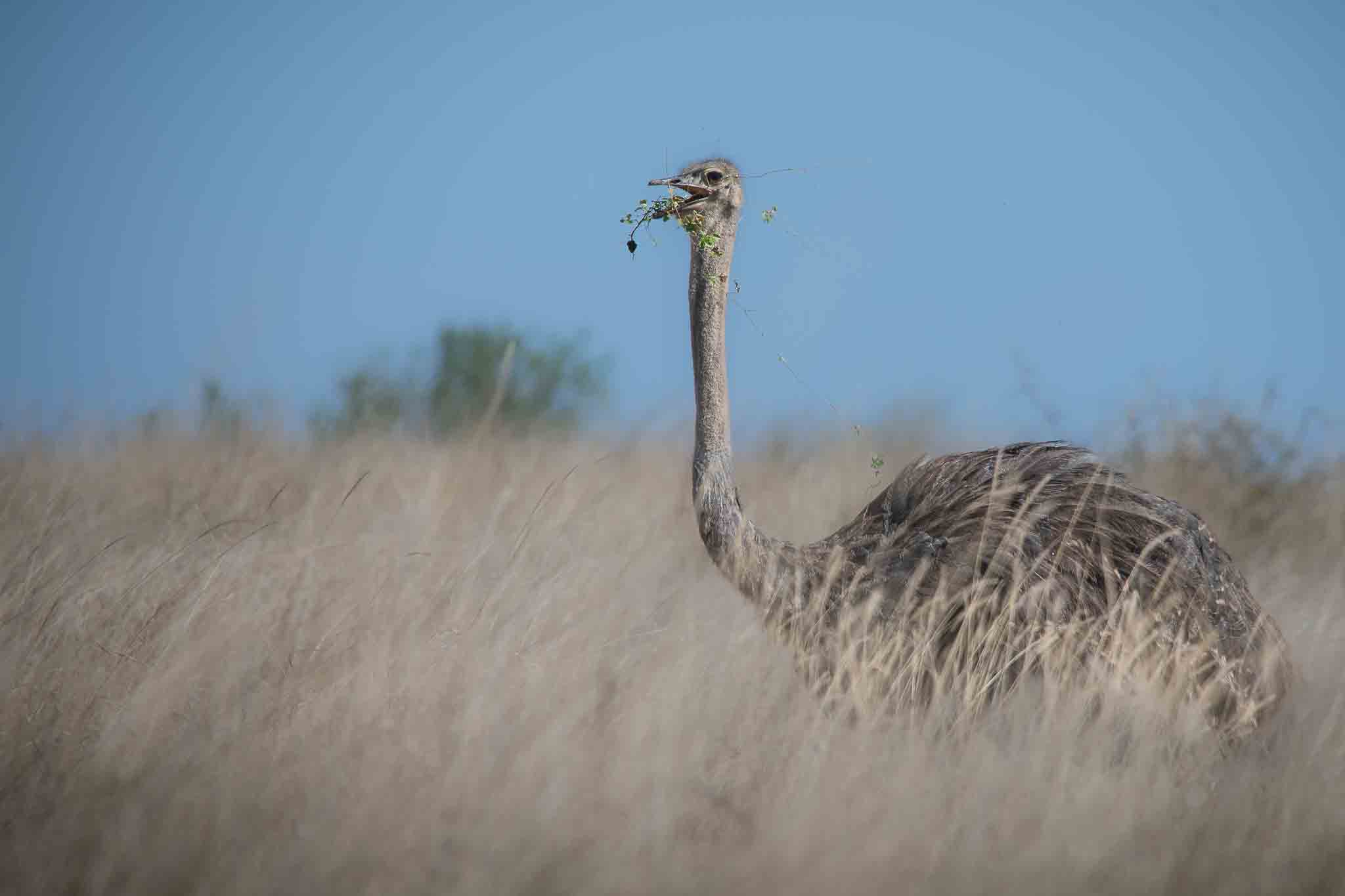 |
88.2 KiB |
| TIFF, No compression | 8.03 MiB | |
| TIFF, LZW compression | 2.88 MiB |
Scientific Publishing
Most journals have explicit figure guidelines in their “Instructions for Authors” material.
For example, Science has an entire figure guideline PDF.
They require images to be at least 300 PPI, they prefer vector over raster graphics, and they give exact measurements for one-column and two-column figures.
R Graphical Devices
R Graphical Devices
You can read about graphical devices in R on the help page.
You can also find the help page rendered on the web here.
R Graphical Devices
You will notice that the help file indicates that many of the devices are platform-specific. You can check what devices are available on your current system 1:
R Graphical Devices
Additional graphical devices can be accessed through packages. I often use the AGG library through the package ragg (https://ragg.r-lib.org/).
ragg claims to be faster (I haven’t tried) and higher quality (I can confirm) than base R graphics (grDevices).
It is also system-independent, so you should get the same output from Windows, Mac, or Linux.