Lecture 18: Network Data

Brian J. Smith

2026-04-16

Networks

Networks

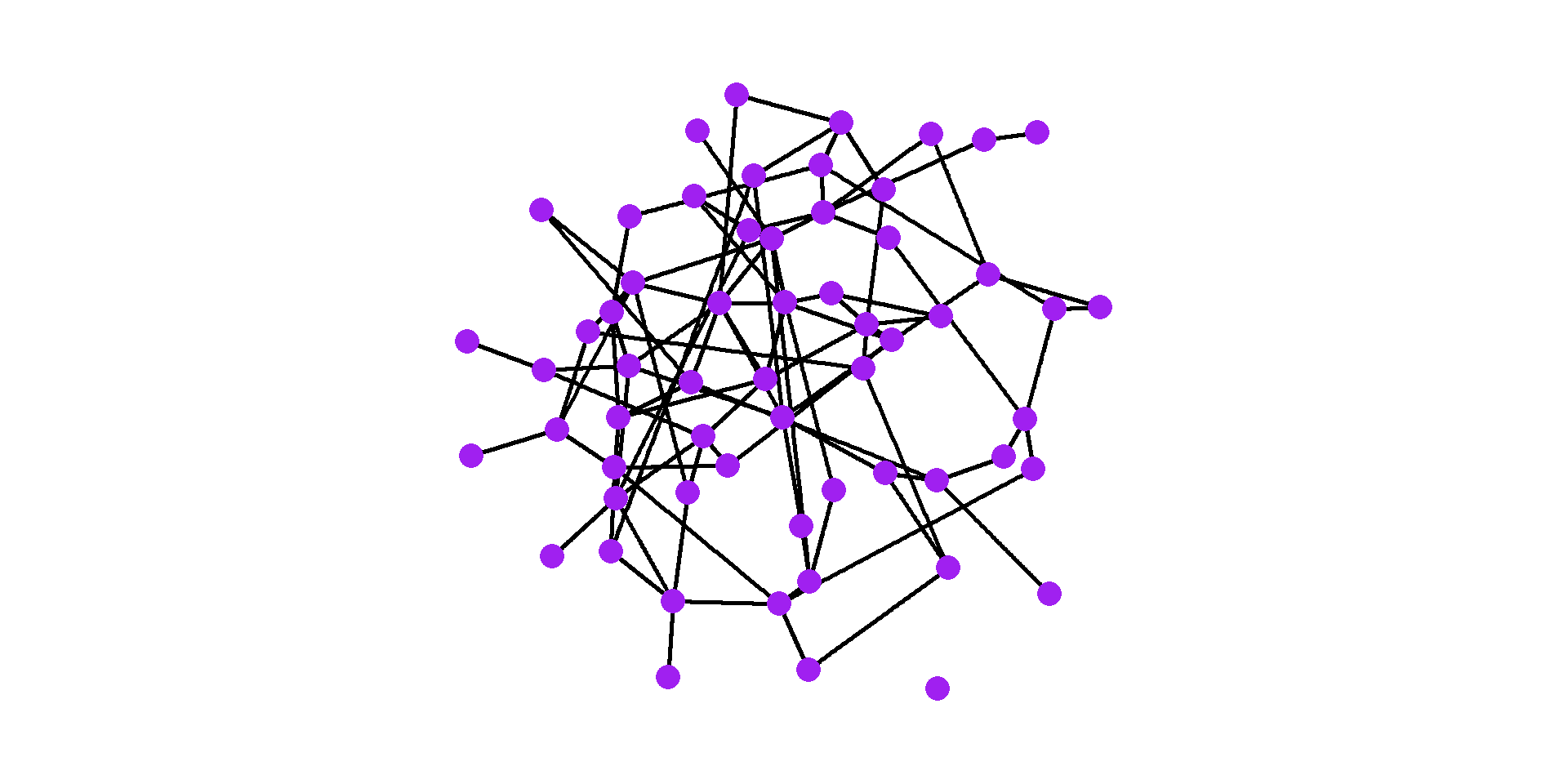
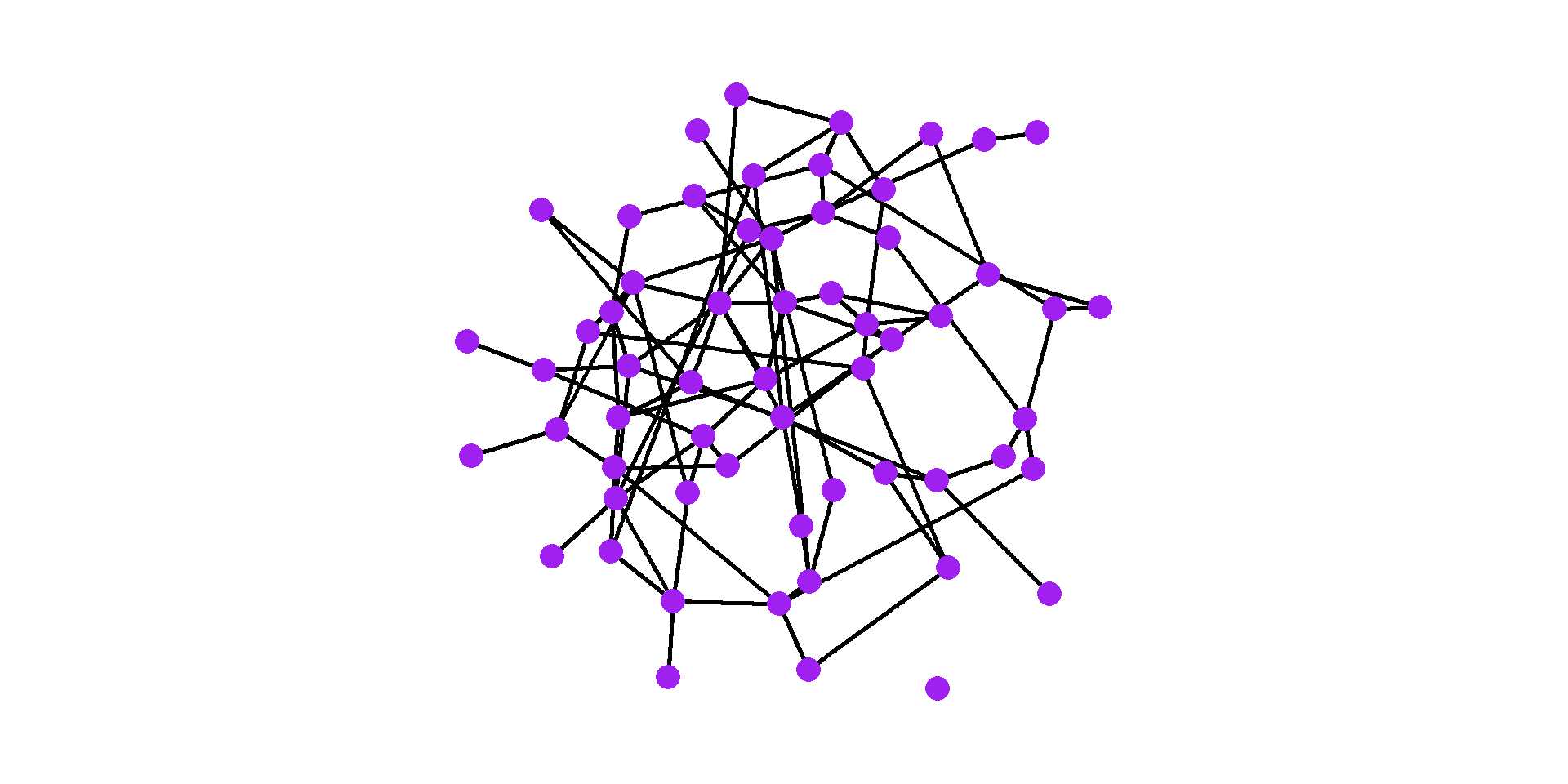
  • Networks are mathematical structures containing nodes and edges.
Code
# Create a random graph
set.seed(20260416)
g <- sample_gnm(60, 100) %>% 
  set_edge_attr(name = "weight",
                value = rexp(n = 100, rate = 0.9))

# Graph
ggraph(g, layout = "igraph", algorithm = "fr") +
  geom_edge_link(linewidth = 1) +
  geom_node_point(size = 5, color = "purple") +
  coord_equal() +
  theme_graph()

Networks

  • Nodes are the items in a network.
    • Other terms for a node:
      • Vertex
      • Point
  • Edges specify relations between nodes.
    • Other terms for an edge:
      • Link
      • Connection
      • Arc
      • Line

Networks

Networks

Seven Bridges of Königsberg. Wikipedia

Seven Bridges of Königsberg. Wikipedia

Networks

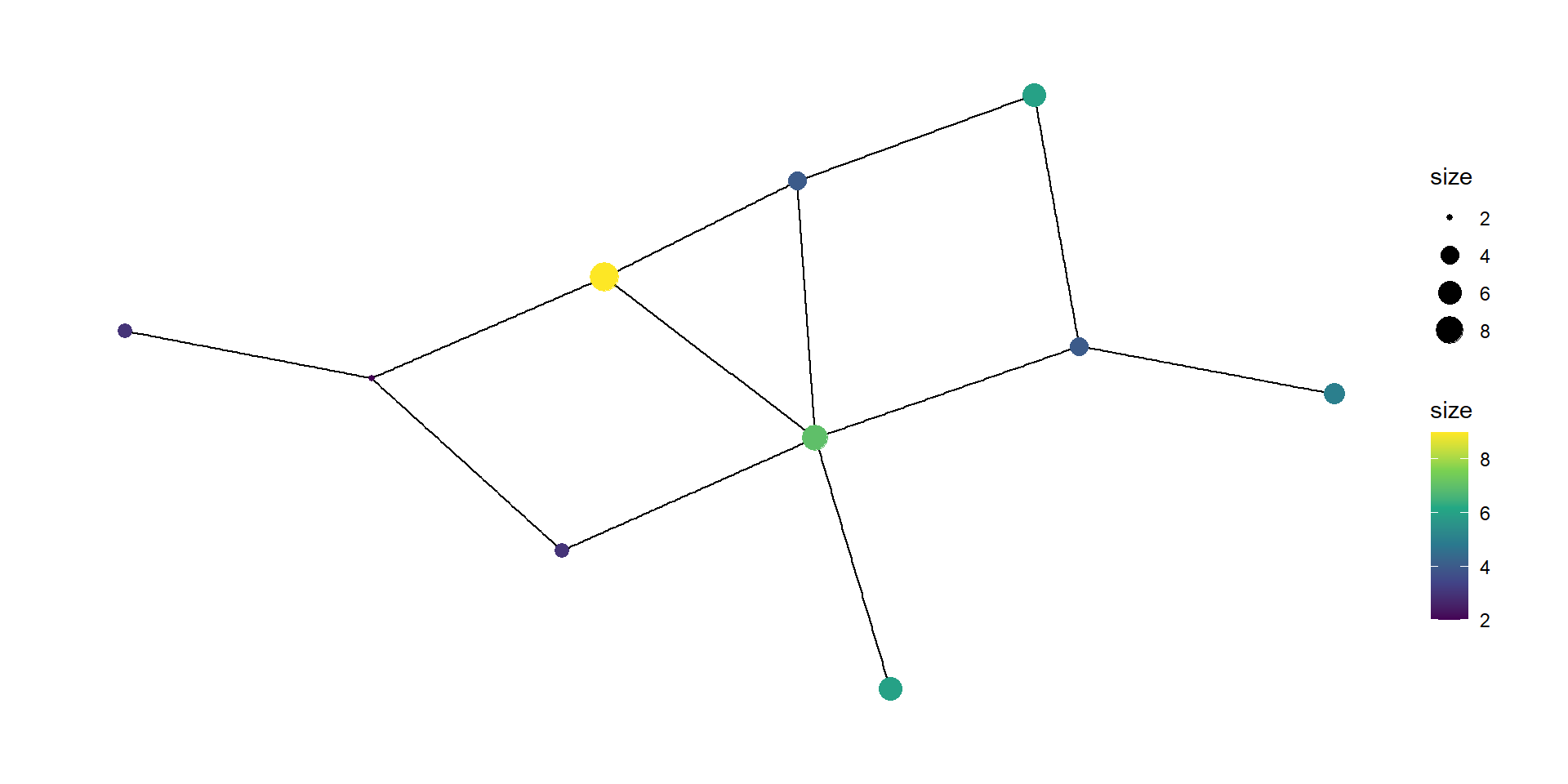
  • Nodes can have attributes.
Code
# Create a random graph
set.seed(20260416)
g <- sample_gnm(10, 12) %>% 
  set_vertex_attr(name = "size", value = rpois(n = 10, lambda = 3) + 1)

ggraph(g, layout = "auto") +
  geom_edge_link() +
  geom_node_point(aes(size = size, color = size)) +
  scale_color_viridis_c() +
  theme_graph()

Networks

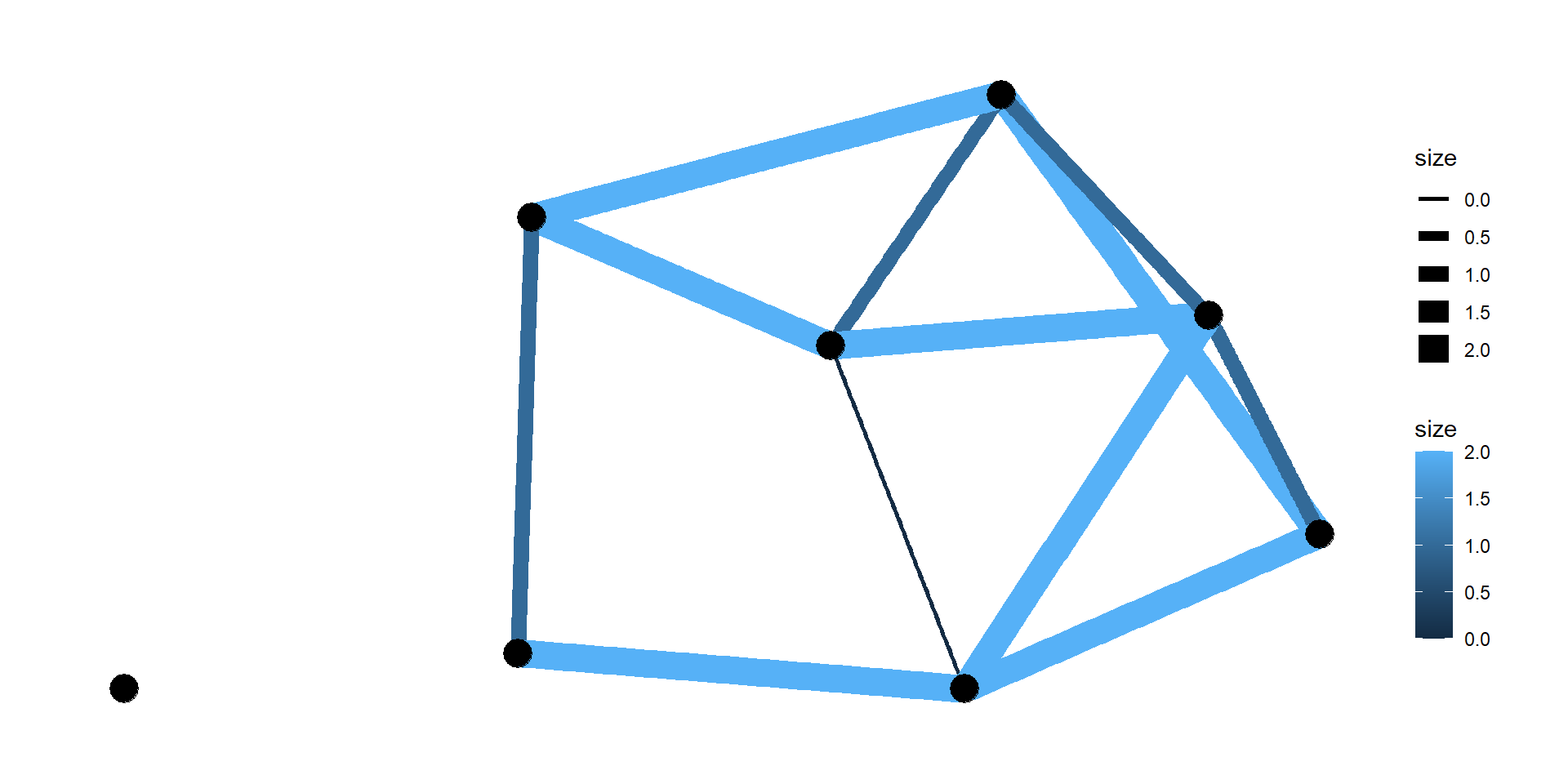
  • Edges can have attributes.
Code
# Create a random graph
set.seed(20260416)
g <- sample_gnm(8, 12) %>% 
  set_edge_attr(name = "size", value = rbinom(n = 12, size = 2, prob = 0.5))

ggraph(g, layout = "auto") +
  geom_edge_link(aes(linewidth = size, color = size)) +
  geom_node_point(size = 6) +
  theme_graph()

Networks

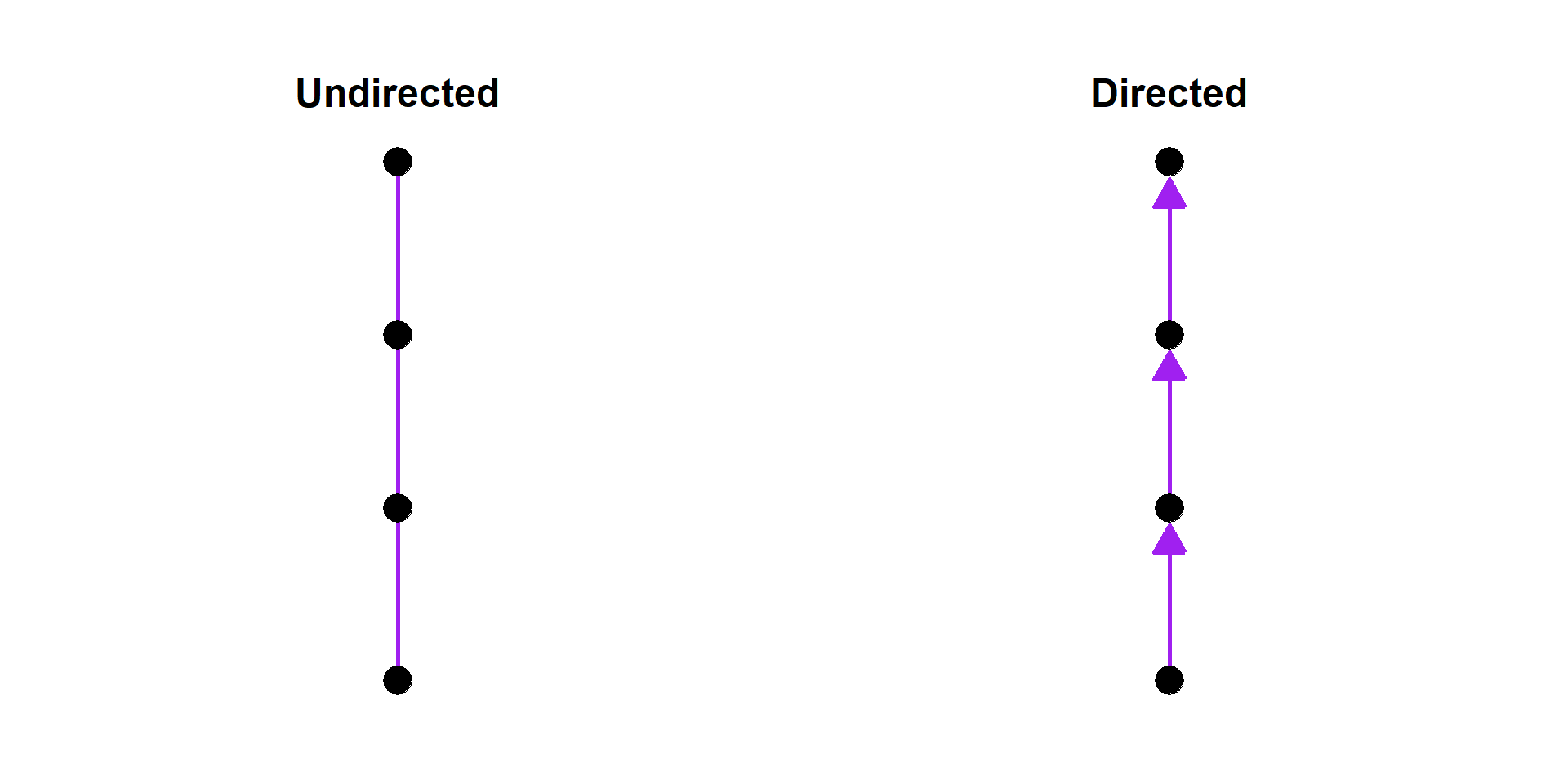
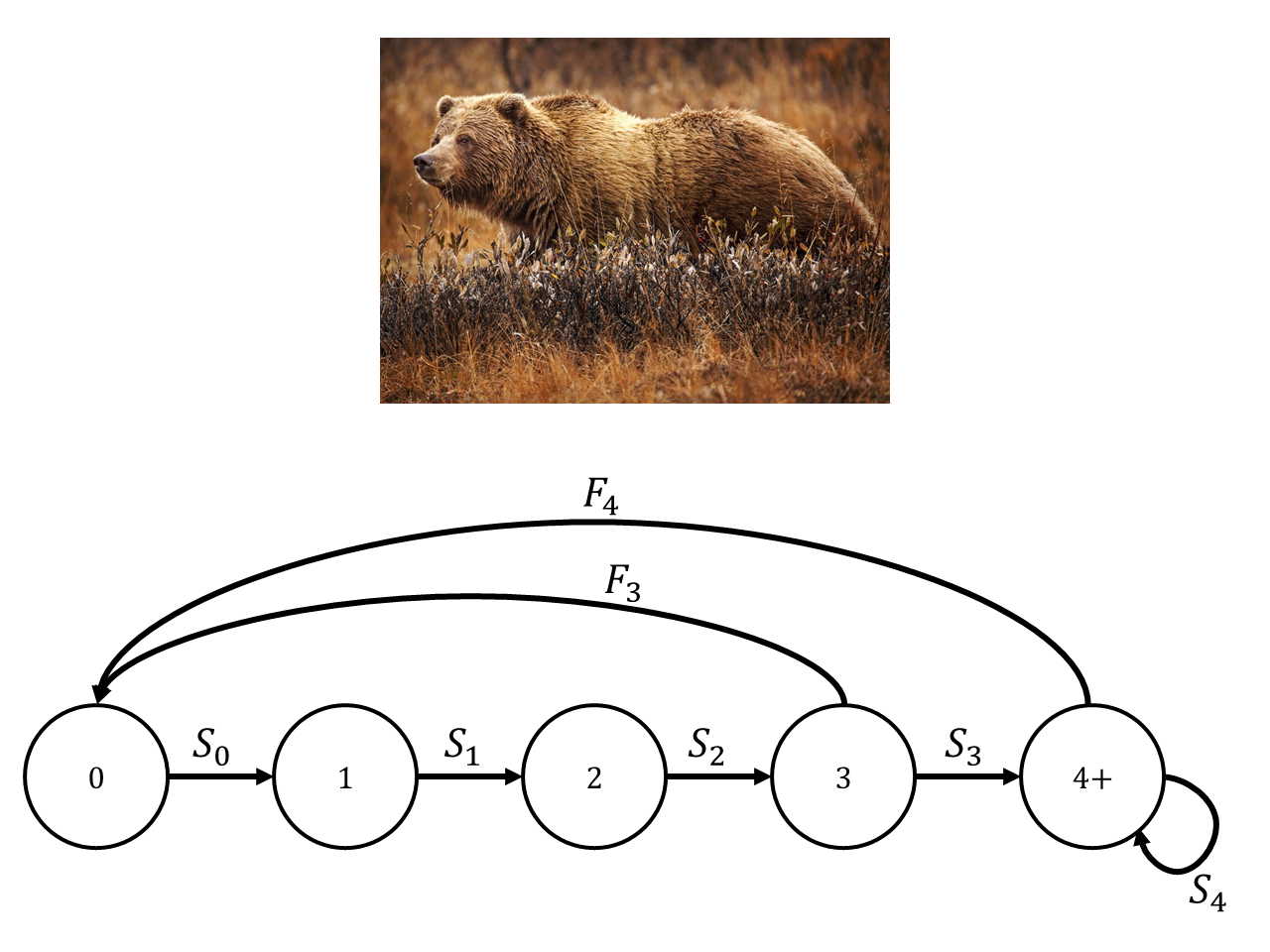
  • Edges can be undirected or directed.
Code
# Create a graph
g1 <- make_graph(edges = c(1, 2, 2, 3, 3, 4),
                 directed = FALSE)

g2 <- make_graph(edges = c(1, 2, 2, 3, 3, 4),
                 directed = TRUE)

p1 <- ggraph(g1, layout = "linear") +
  geom_edge_link(linewidth = 1,
                 color = "purple") +
  geom_node_point(size = 6) +
  coord_flip() +
  ggtitle("Undirected") +
  theme_graph() +
  theme(plot.title = element_text(hjust = 0.5))

p2 <- ggraph(g2, layout = "linear") +
  geom_edge_link(linewidth = 1, arrow = arrow(angle = 30, 
                                               length = unit(0.2, "inches"),
                                               type = "closed"),
                  end_cap = circle(0.11, "inches"),
                  color = "purple") +
  geom_node_point(size = 6) +
  coord_flip() +
  ggtitle("Directed") +
  theme_graph() +
  theme(plot.title = element_text(hjust = 0.5))

p1 + p2

Networks

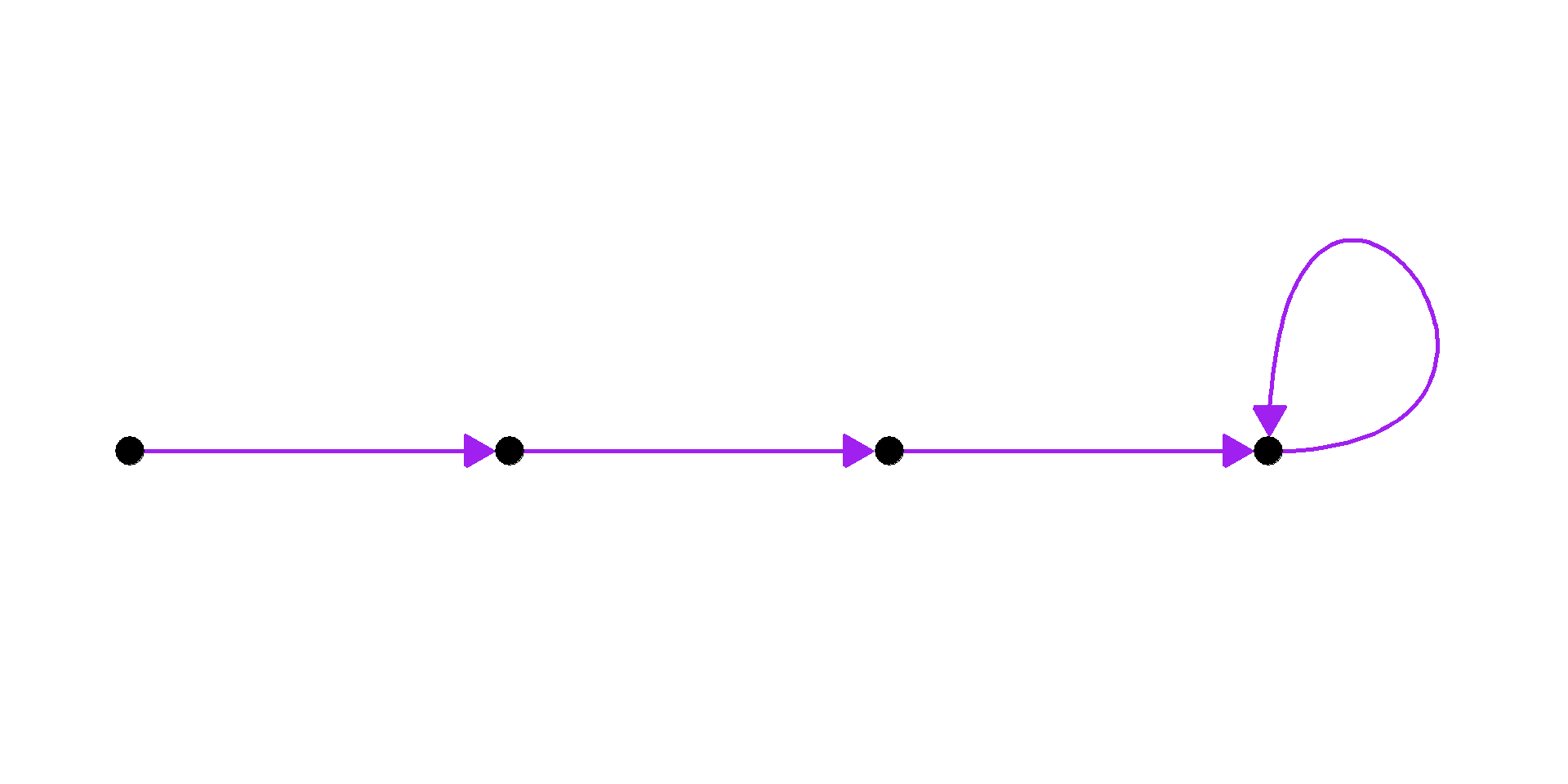
  • When an edge connects a node to itself, it is called a loop.
Code
g <- make_graph(edges = c(1, 2, 2, 3, 3, 4, 4, 4),
                directed = TRUE)

ggraph(g, layout = "linear") +
  geom_edge_loop(linewidth = 1,
                arrow = arrow(angle = 30, 
                              length = unit(0.2, "inches"),
                              type = "closed"),
                end_cap = circle(0.11, "inches"), 
                color = "purple") +
  geom_edge_link(linewidth = 1,
                arrow = arrow(angle = 30, 
                              length = unit(0.2, "inches"),
                              type = "closed"),
                end_cap = circle(0.11, "inches"), 
                color = "purple") +
  geom_node_point(size = 6) +
  coord_cartesian(ylim = c(-0.5, 0.75)) +
  theme_graph()

Networks

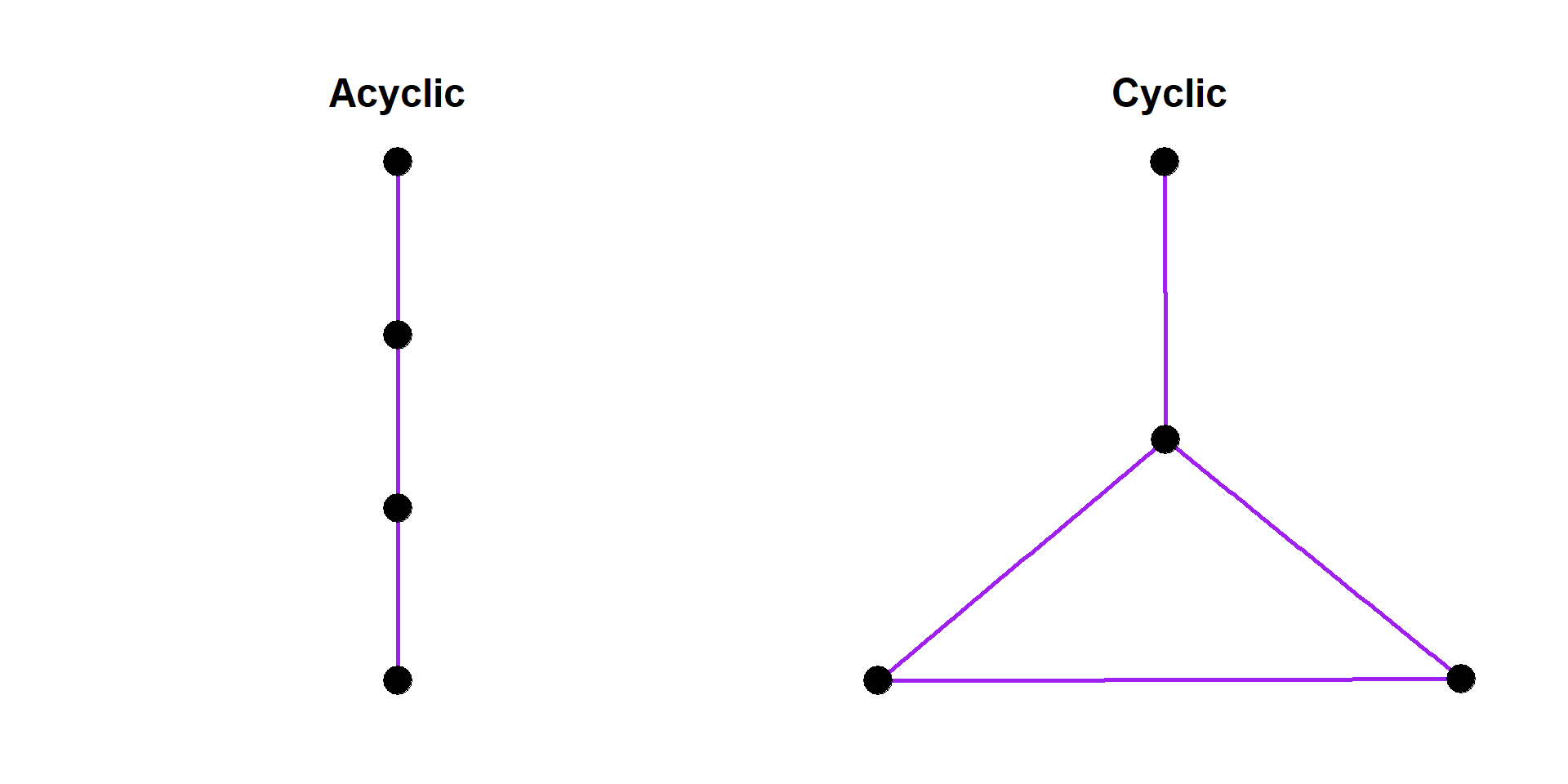
  • Networks can have cycles where connections between nodes create a loop.
    • A network with at least one cycle is called cyclic,
    • and a network with no cycles is called acyclic.
Code
# Create a graph
g1 <- make_graph(edges = c(1, 2, 2, 3, 3, 4),
                 directed = FALSE)

g2 <- make_graph(edges = c(1, 2, 2, 3, 3, 4, 4, 2),
                 directed = FALSE)

p1 <- ggraph(g1, layout = "linear") +
  geom_edge_link(linewidth = 1,
                 color = "purple") +
  geom_node_point(size = 6) +
  coord_flip() +
  ggtitle("Acyclic") +
  theme_graph() +
  theme(plot.title = element_text(hjust = 0.5))

p2 <- ggraph(g2, layout = "auto") +
  geom_edge_link(linewidth = 1, 
                  color = "purple") +
  geom_node_point(size = 6) +
  coord_flip() +
  ggtitle("Cyclic") +
  theme_graph() +
  theme(plot.title = element_text(hjust = 0.5))

p1 + p2

Networks

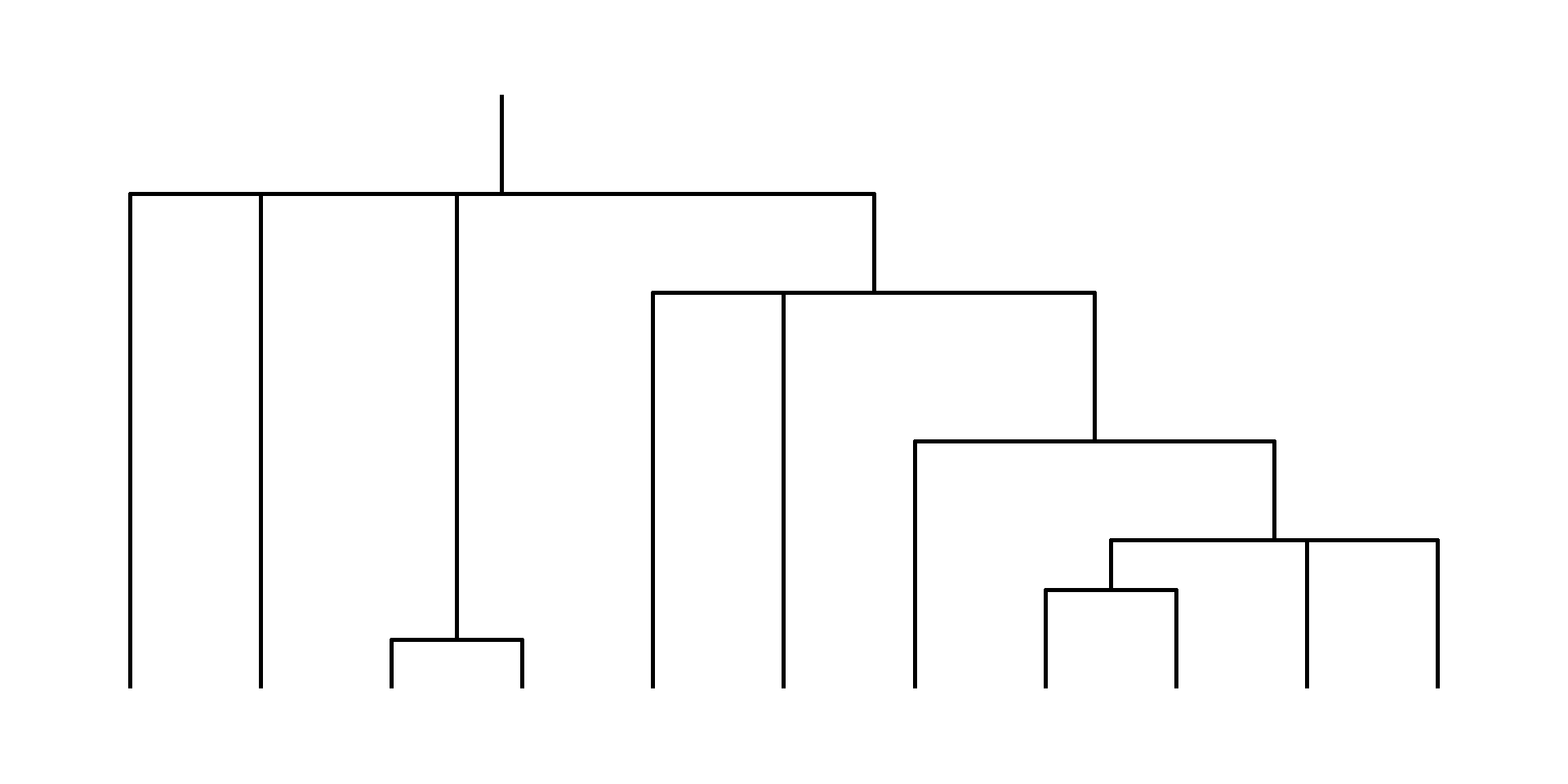
  • A network with hierarchical structure is called a tree.
  • Trees cannot have cycles.
Code
# Random graph
set.seed(20260416)
tr <- sample_tree(n = 30, directed = TRUE, method = "lerw")

ggraph(tr, layout = 'dendrogram') + 
  geom_edge_elbow(linewidth = 1) +
  theme_graph()

Networks

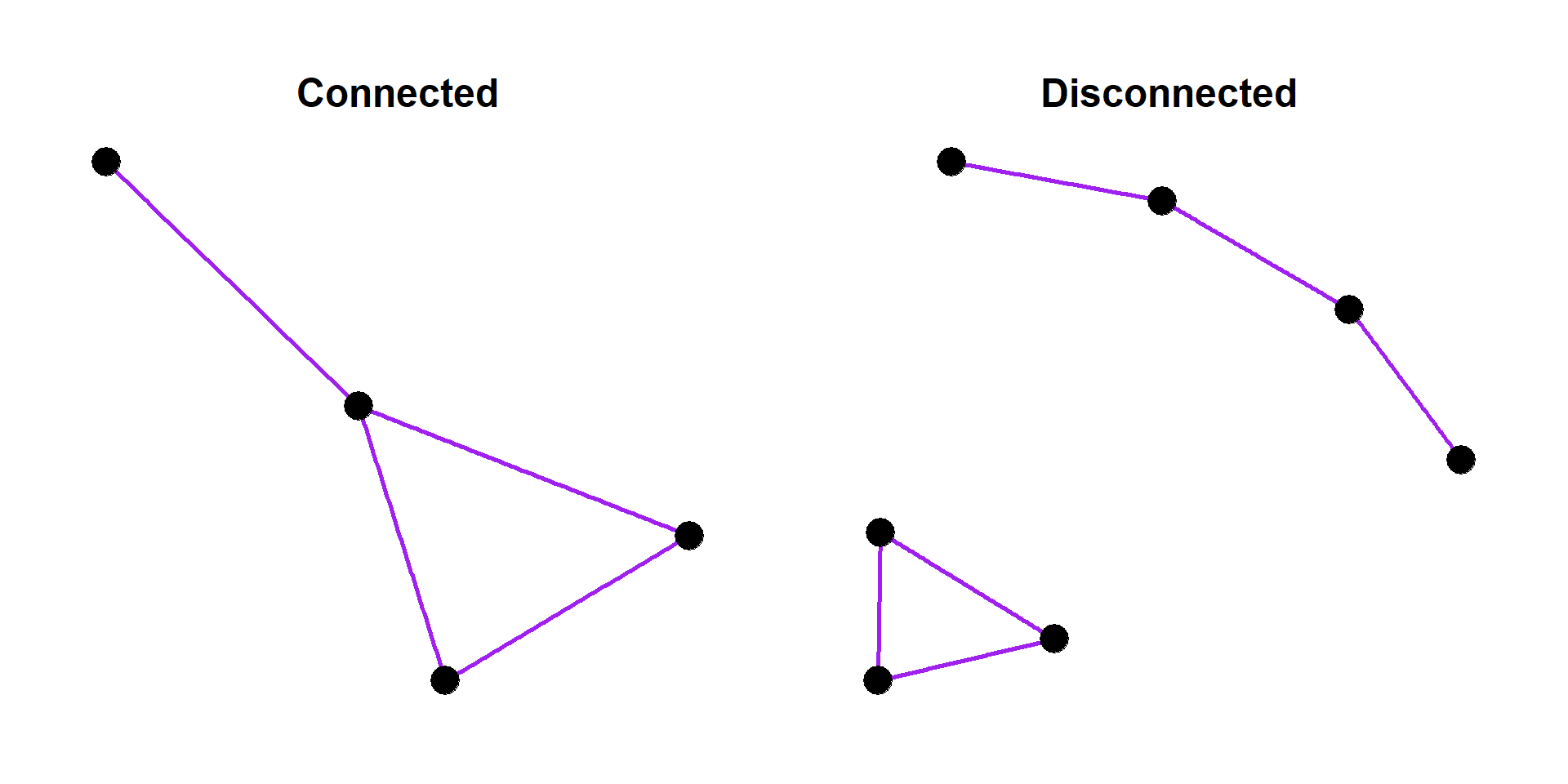
  • A connected network has some way to get between any two nodes.
  • A disconnected graph has some gaps.
Code
# Create a graph
g1 <- make_graph(edges = c(1, 2, 2, 3, 3, 4, 4, 2),
                 directed = FALSE)

g2 <- make_graph(edges = c(1, 2, 2, 3, 3, 4, 5, 6, 6, 7, 7, 5),
                 directed = FALSE)

p1 <- ggraph(g1, layout = "igraph", algorith = "fr") +
  geom_edge_link(linewidth = 1,
                 color = "purple") +
  geom_node_point(size = 6) +
  ggtitle("Connected") +
  theme_graph() +
  theme(plot.title = element_text(hjust = 0.5))

p2 <- ggraph(g2, layout = "igraph", algorith = "fr") +
  geom_edge_link(linewidth = 1, 
                  color = "purple") +
  geom_node_point(size = 6) +
  ggtitle("Disconnected") +
  theme_graph() +
  theme(plot.title = element_text(hjust = 0.5))

p1 + p2

Networks

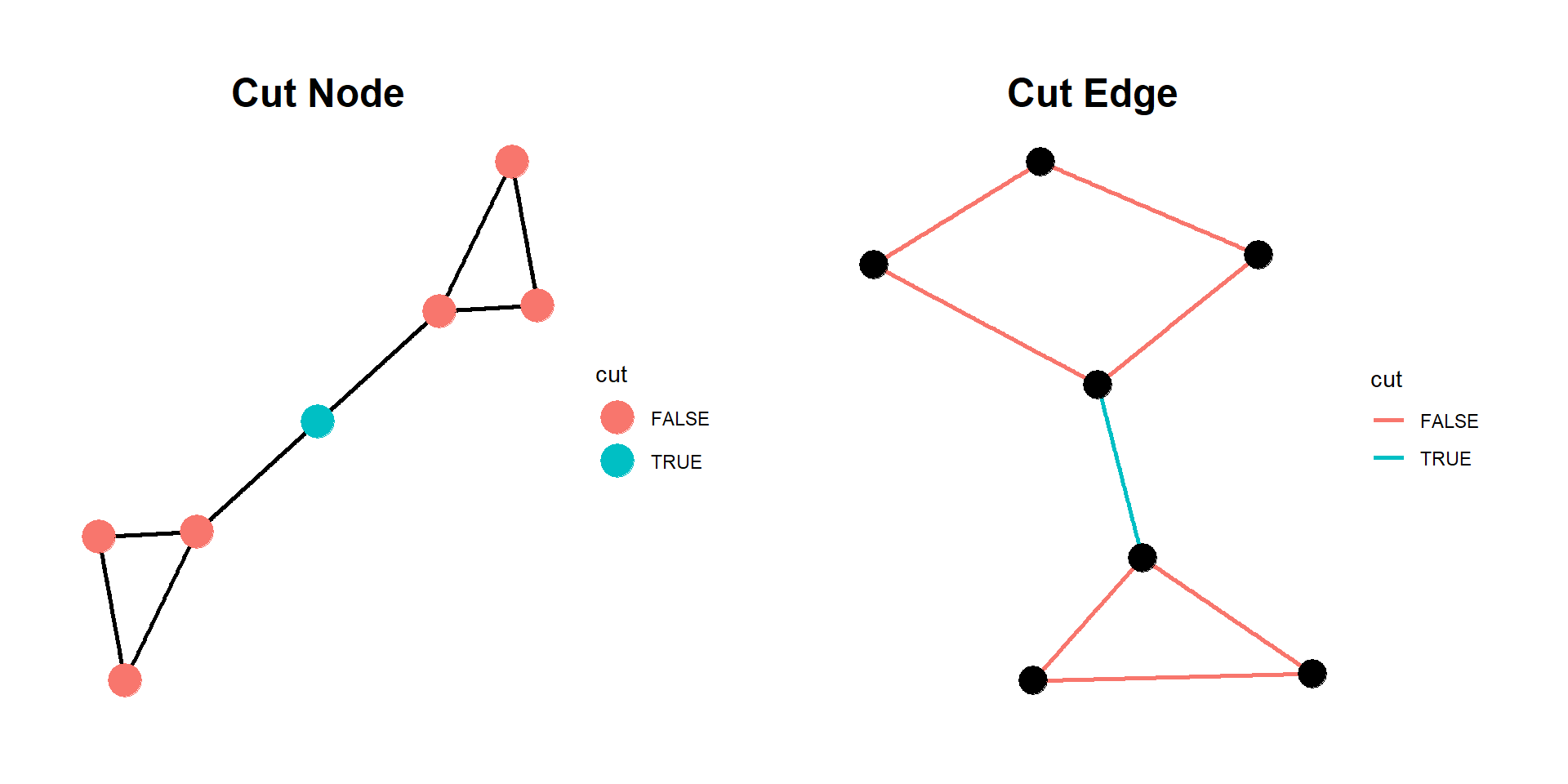
  • A connected network might have a node or edge that acts as a bottleneck. If that node/edge is removed, the network becomes disconnected.
    • Cut node or cut edge.
Code
# Create a graph
g1 <- make_graph(edges = c(1, 2, 2, 3, 3, 1, 
                           # Node 4 is cut node
                           3, 4, 4, 5,
                           5, 6, 6, 7, 7, 5),
                 directed = FALSE) %>% 
  set_vertex_attr(name = "cut", value = c((1:7) == 4))

g2 <- make_graph(edges = c(1, 2, 2, 3, 3, 1, 
                           # Cut vertex between 3 and 4
                           3, 4,
                           4, 5, 5, 6, 6, 7, 7, 4),
                 directed = FALSE) %>% 
  set_edge_attr(name = "cut", value = c((1:8) == 4))

p1 <- ggraph(g1, layout = "igraph", algorith = "fr") +
  geom_edge_link(linewidth = 1,
                 color = "black") +
  geom_node_point(size = 7, aes(color = cut)) +
  ggtitle("Cut Node") +
  theme_graph() +
  theme(plot.title = element_text(hjust = 0.5))

p2 <- ggraph(g2, layout = "igraph", algorith = "fr") +
  geom_edge_link(linewidth = 1, aes(color = cut)) +
  geom_node_point(size = 6) +
  ggtitle("Cut Edge") +
  theme_graph() +
  theme(plot.title = element_text(hjust = 0.5))

p1 + p2
Visualizing Networks

Visualizing Networks

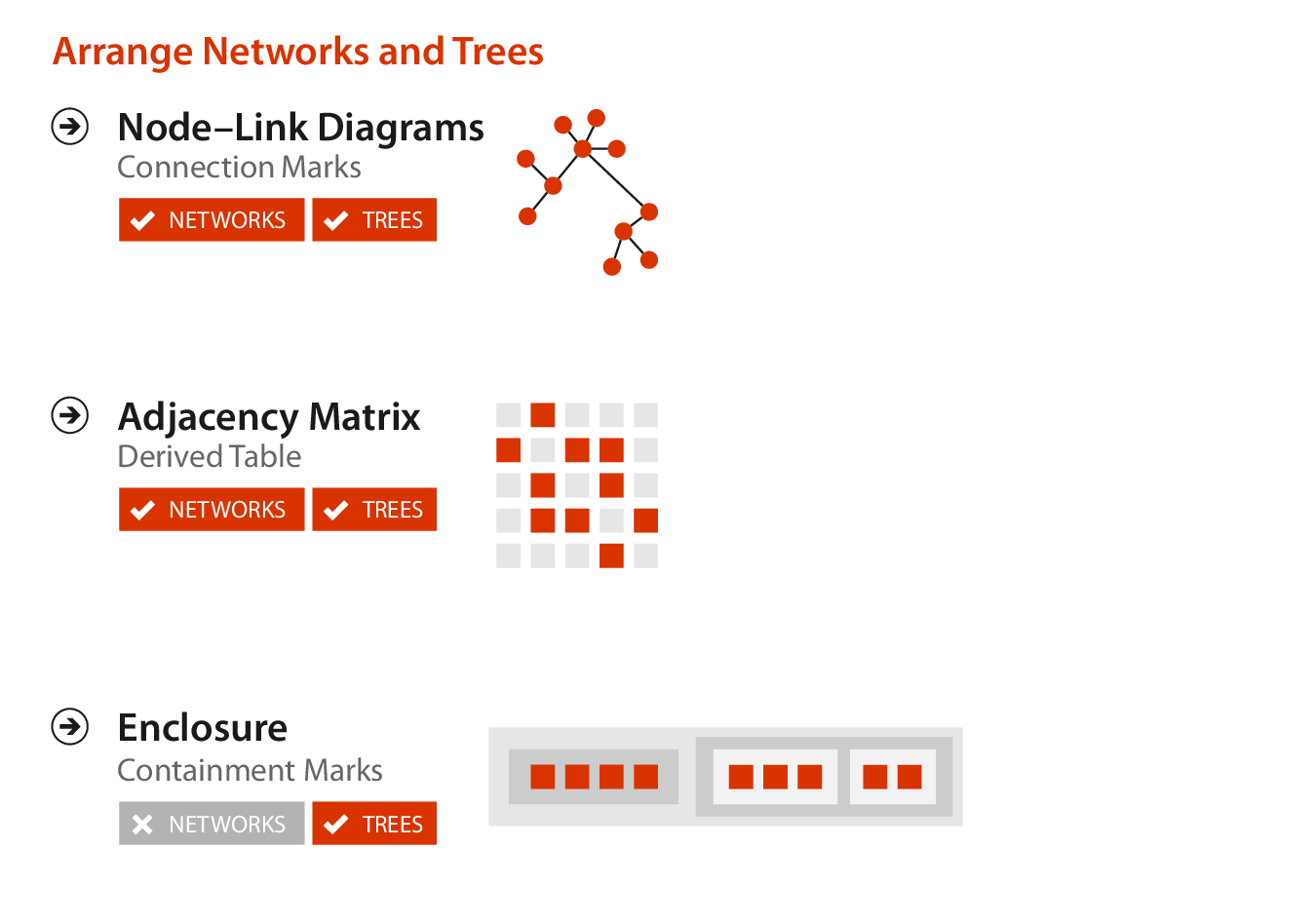
This part of the lecture is largely based on Chapter 9 of Visualization Analysis & Design.


“Arrange Networks and Trees”


We’ll take some ideas from the text and some other examples from the internet to talk about how to visualize networks.

Visualization Analysis & Design Cover

Visualizing Networks

VAD, Fig. 9.1

VAD, Fig. 9.1

Matrix Views

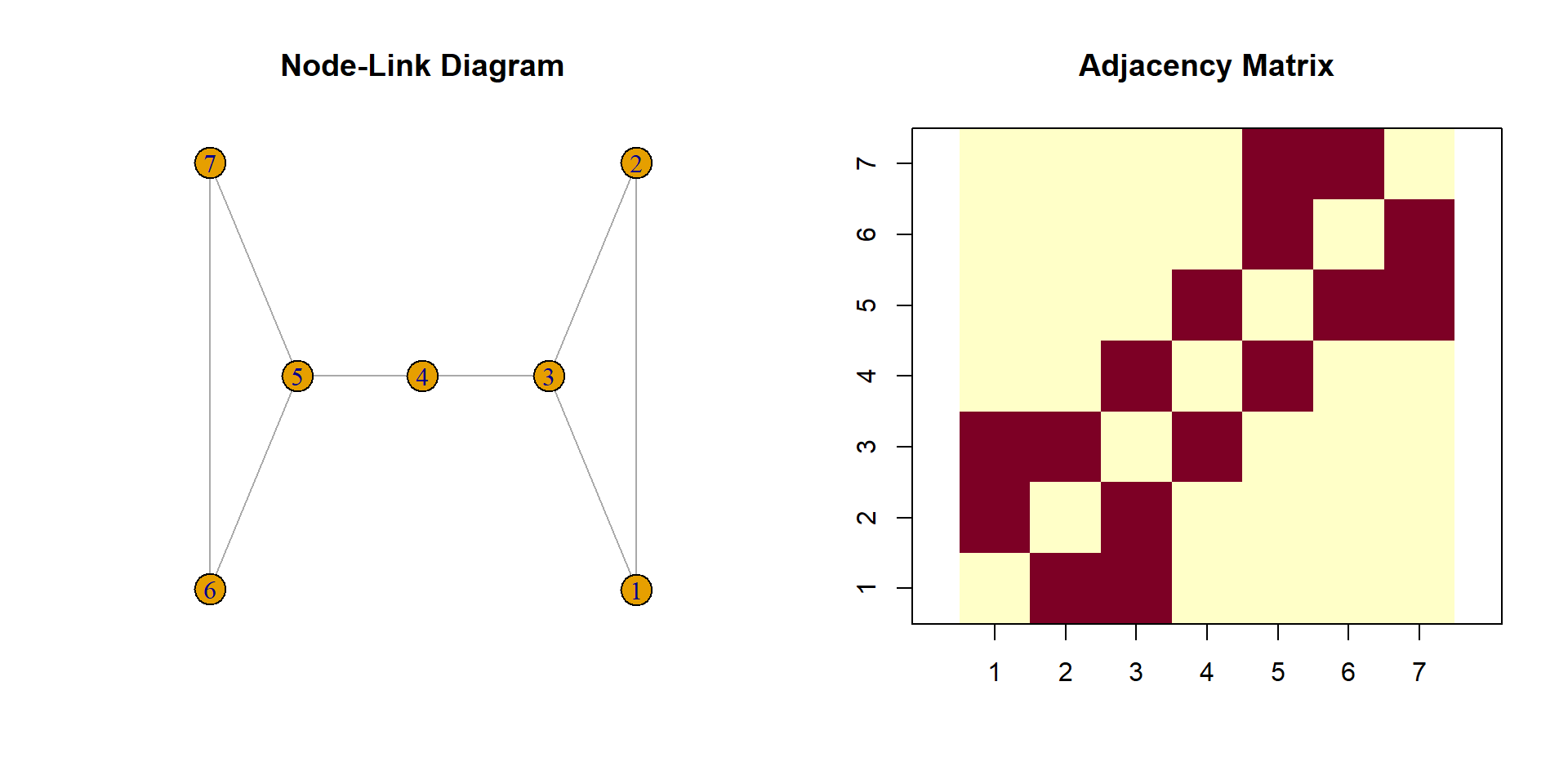
  • A network can be transformed into an adjacency matrix.
    • An \(n \times n\) square matrix, where \(n\) is the number of nodes.
  • Visualization can be based on the matrix instead of using node-link diagrams.
Code
# Create a graph
g1 <- make_graph(edges = c(1, 2, 2, 3, 3, 1, 
                           # Node 4 is cut node
                           3, 4, 4, 5,
                           5, 6, 6, 7, 7, 5),
                 directed = FALSE) %>% 
  set_vertex_attr(name = "cut", value = c((1:7) == 4))

mat <- g1 %>% 
  as.matrix() %>% 
  as.matrix
colnames(mat) <- 1:7
rownames(mat) <- 1:7

par(mfrow = c(1, 2))
plot(g1, main = "Node-Link Diagram")
image(mat, asp = 1, axes = FALSE, main = "Adjacency Matrix", lwd = 0.5)
axis(1, at = seq(0, 1, length.out = 7), labels = 1:7)
axis(2, at = seq(0, 1, length.out = 7), labels = 1:7)
box()

Containment: Hierarchy Marks

Networks in R

Networks in R

  • Some useful R packages:
    • igraph, go-to package for networks in R?
    • ggraph, extension of ggplot2 for networks.
    • tidygraph, a tidy API for network manipulation.
    • Others?
  • R Graph Gallery

Questions?


BCB5200 Home