Lecture 19: Animation

Brian J. Smith

2026-04-21

Animation

Animation

  • Why animate?
    • Why not animate?
  • What is an animation?
  • Animation with gganimate
  • Custom animation with ImageMagick

Why not animate?

  • “Eyes beat memory.”
  • Not available in print (obviously) or print-like media (e.g., PDF).
  • Resource intensive.
  • Interpolation between discrete states may be misleading.
    • Interpolated states aren’t data.

Why animate?

  • Show different subsets of data.
  • Show dynamics (usually over time, but other dimensions possible).
  • Guide the eye to subtle changes.
  • Build up a figure gradually.

What is an animation?

  • Set of frames that are displayed in sequence.
  • Each frame is a static image.
    • Interpolation between static states can be useful for guiding the eye.
  • Animation formats vary in their efficiency.
    • Some store 100% of the pixels of each frame.
      • High image quality, very large file size.
    • Others only store the changes from one frame to the next.
      • Significantly reduces file size.
      • Can introduce visual artifacts.
  • Both image formats and video formats exist.
    • E.g., GIF is an image format.
    • E.g., MP4 is a video format.

gganimate

gganimate

gganimate Hex Sticker 
  • R package extending ggplot2 for animation.

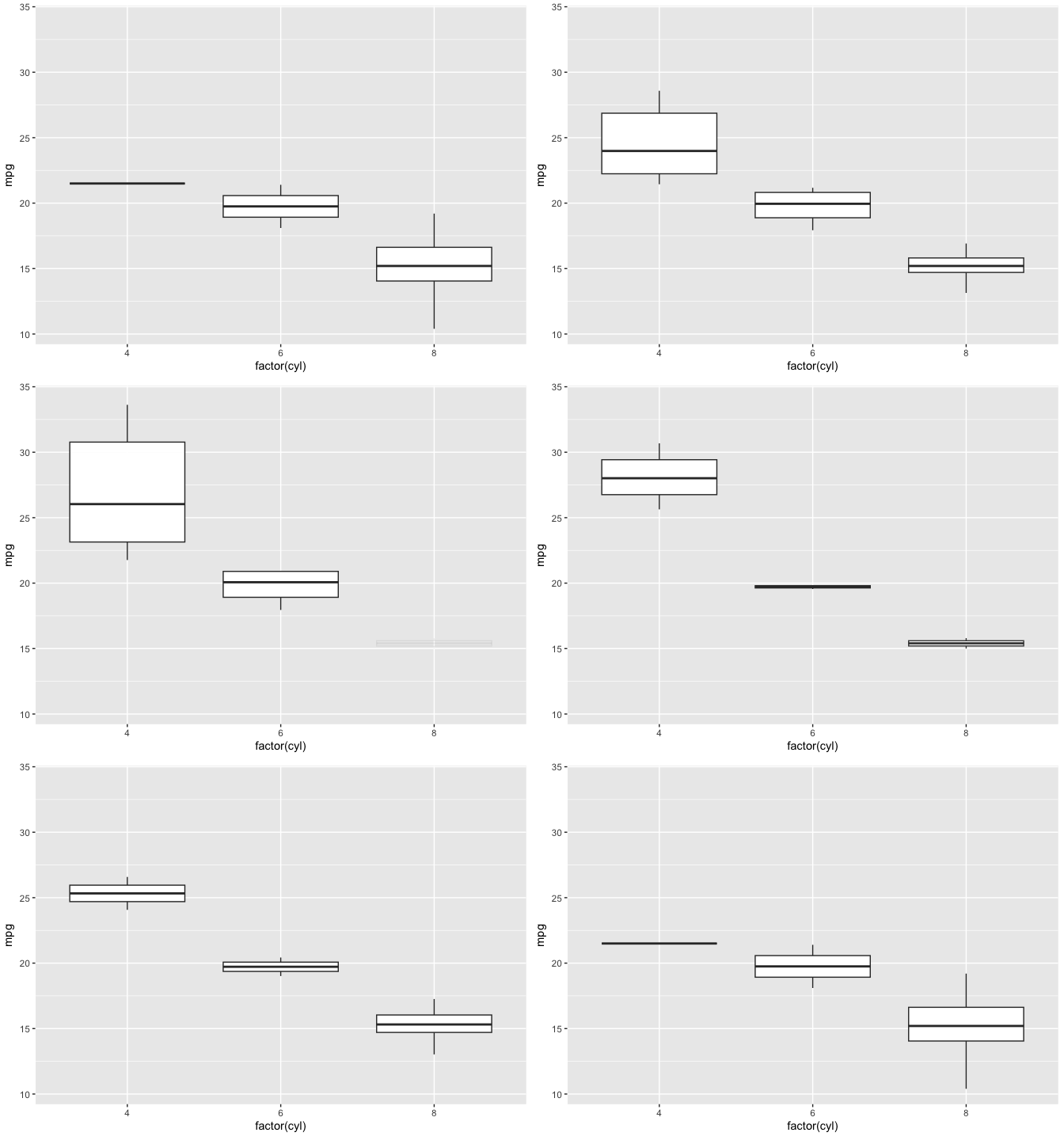
gganimate README Animation

gganimate

  • The gganimate help files organize functions into these grammar classes:
    • Transitions
      • transition_*() defines how the items change.
    • Views
      • view_*() defines how the view changes.
    • Shadows
      • shadow_*() defines how items out-of-focus should appear.
    • Tweening
      • enter_*()/exit_*() defines how items come and go.
      • ease_aes() defines how different aesthetics should be eased during transitions.

Transitions

  • transition_states()
    • Transition between several distinct stages of the data
  • transition_time()
    • Transition through distinct states in time
  • transition_reveal()
    • Reveal data along a given dimension
  • transition_events()
    • Transition individual events in and out
  • transition_filter()
    • Transition between different filters
  • transition_layers()
    • Build up a plot, layer by layer (literally the ggplot2 layers)
  • transition_components()
    • Define when each independent component enters and exits.

Transitions

  • transition_states()
    • Used to transition using discrete variables (i.e., factors).
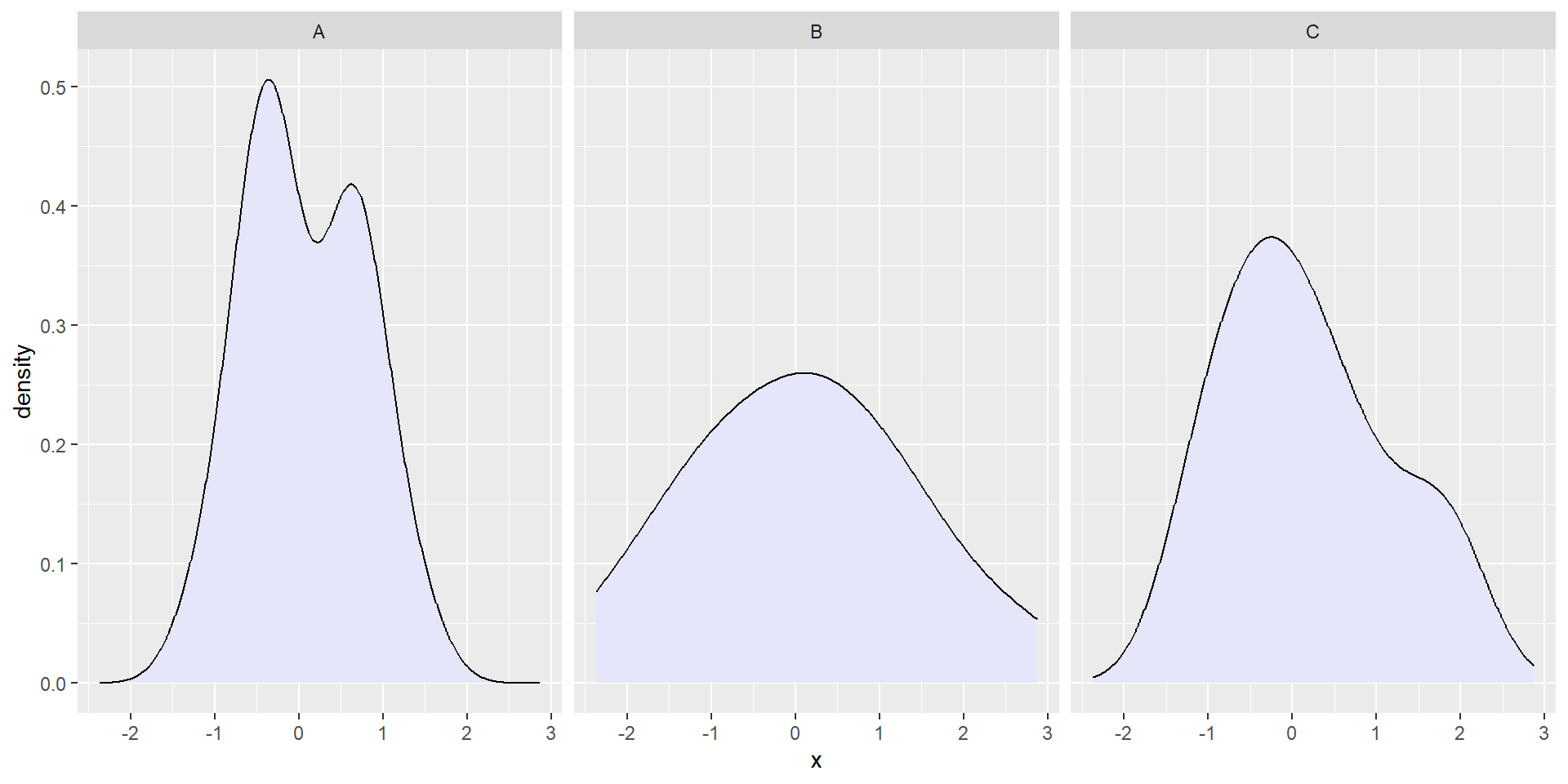
    • Think of this as an alternative to facet_wrap().
Code
set.seed(19)
p <- expand.grid(n = 1:20, label = LETTERS[1:3]) %>% 
  mutate(x = rnorm(nrow(.))) %>% 
  ggplot(aes(x = x)) +
  geom_density(fill = "lavender") +
  facet_wrap(~ label)
p

Transitions

  • transition_states()
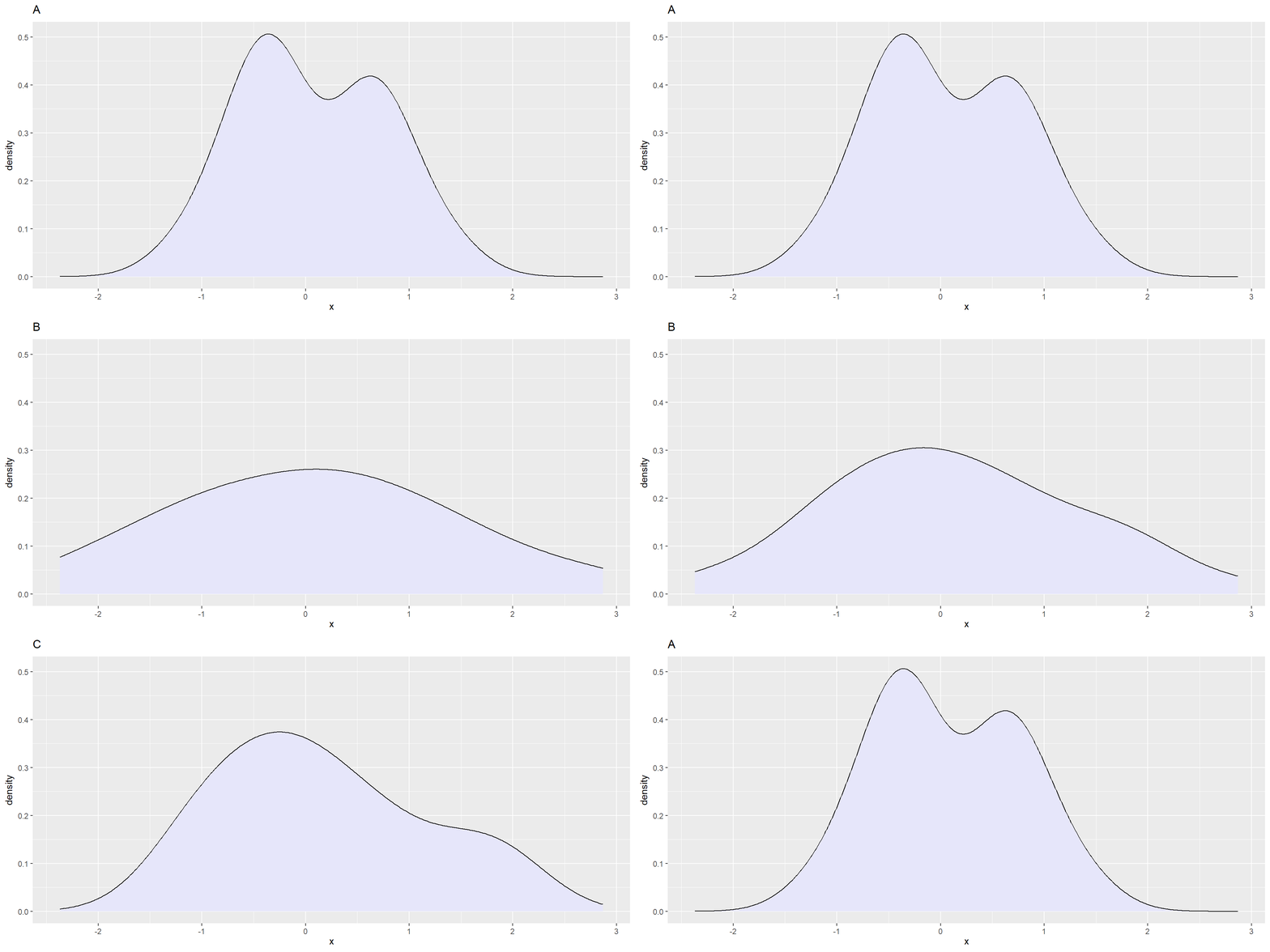
    • Animate rather than facet:
Code
p +
  facet_null() +
  transition_states(label,
                    transition_length = 1,
                    state_length = 2) +
  labs(title = "{closest_state}")

Transitions

  • transition_time()
    • Used to transition using continuous variables (e.g., time).
    • An alternative to showing a classic timeseries.
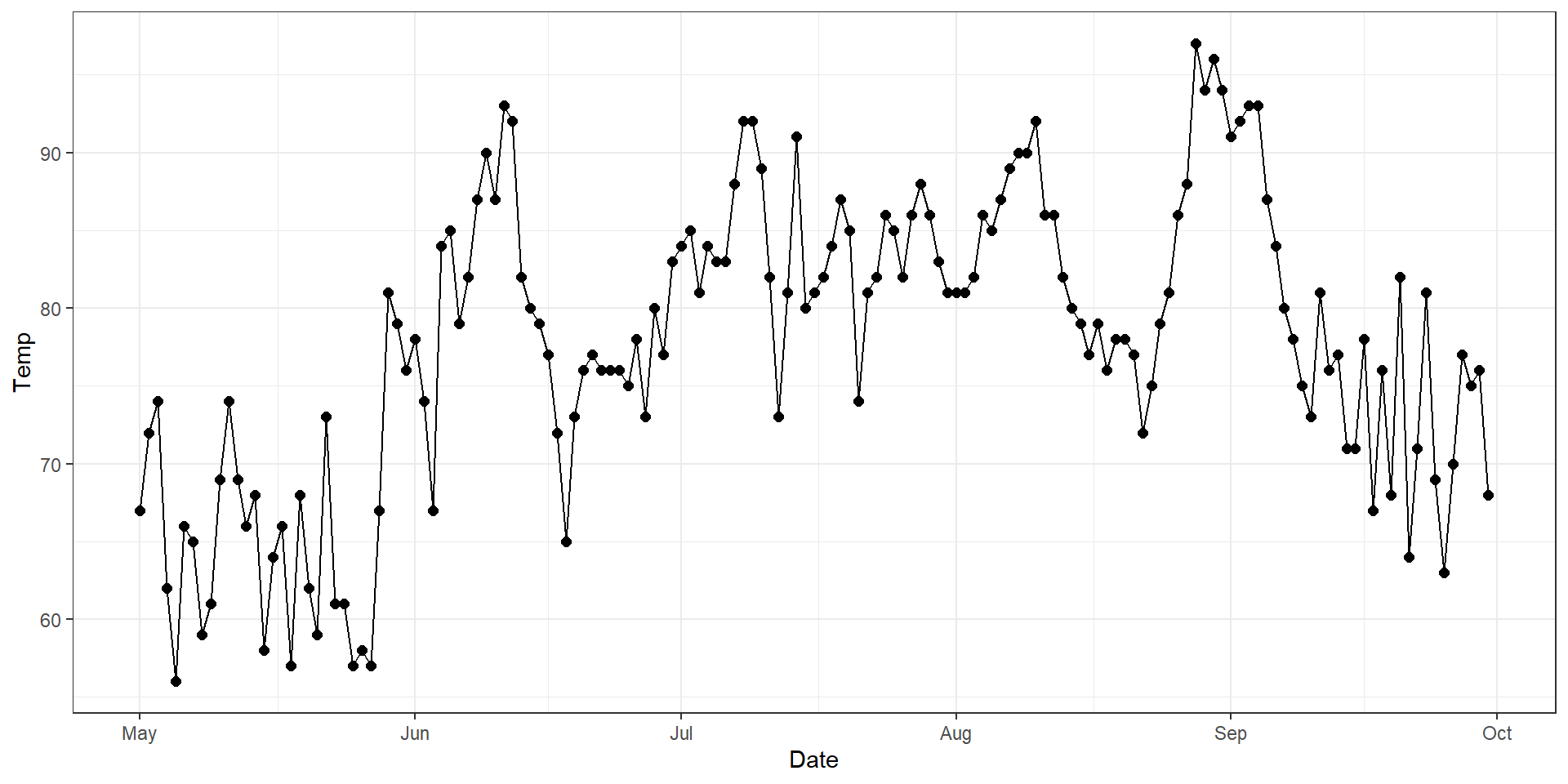
Code
p <- airquality %>% 
  mutate(Date = lubridate::ymd(paste0("1973-", Month, "-", Day))) %>% 
  ggplot(aes(x = Date, y = Temp)) +
  geom_point(size = 2) +
  theme_bw()
p +
  geom_line()

Transitions

  • transition_time()
    • (Time shown redundantly with x-position)
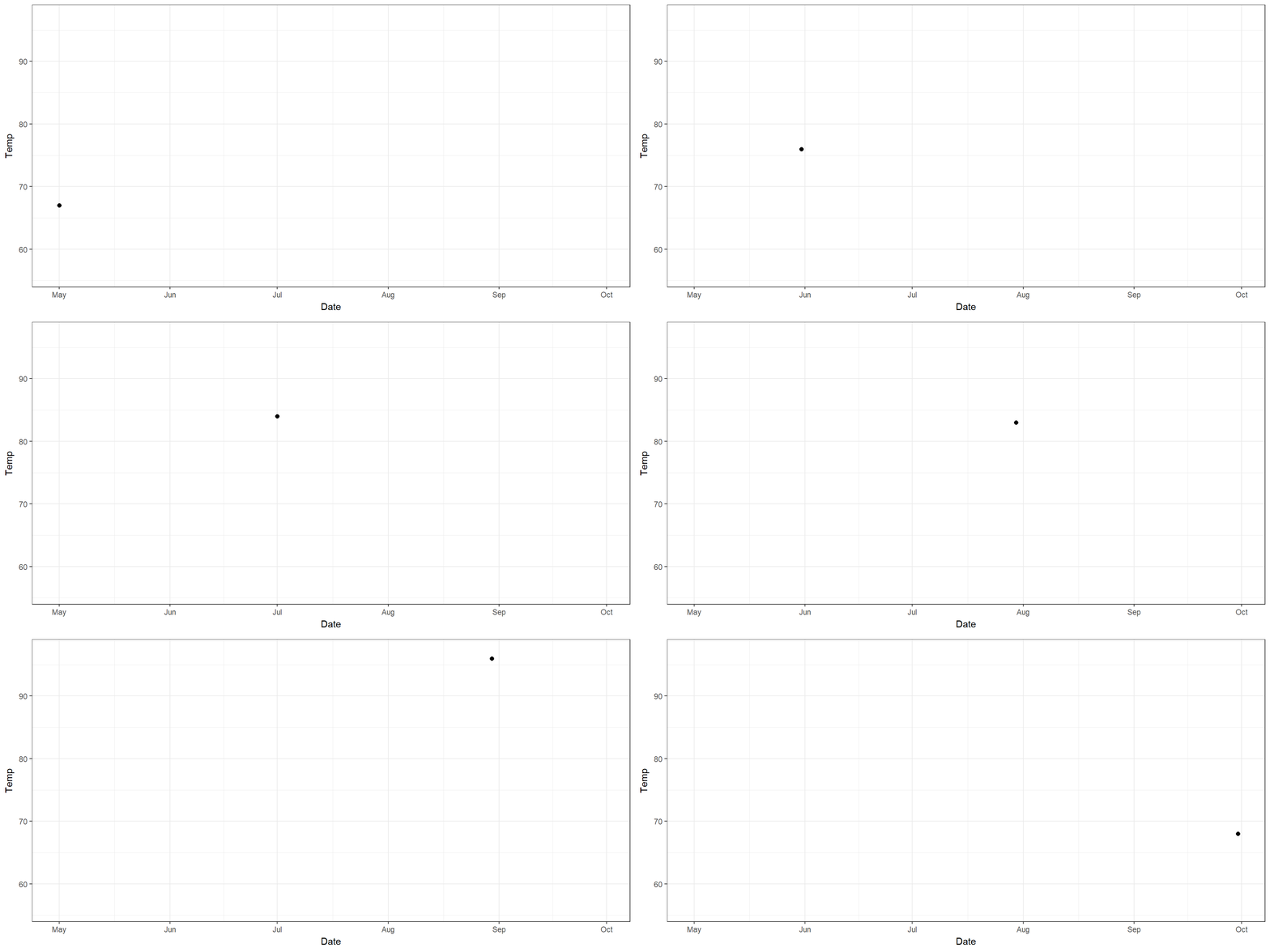
Code
p +
  transition_time(Date)

Transitions

  • transition_reveal()
    • Used to gradually reveal along a dimension.
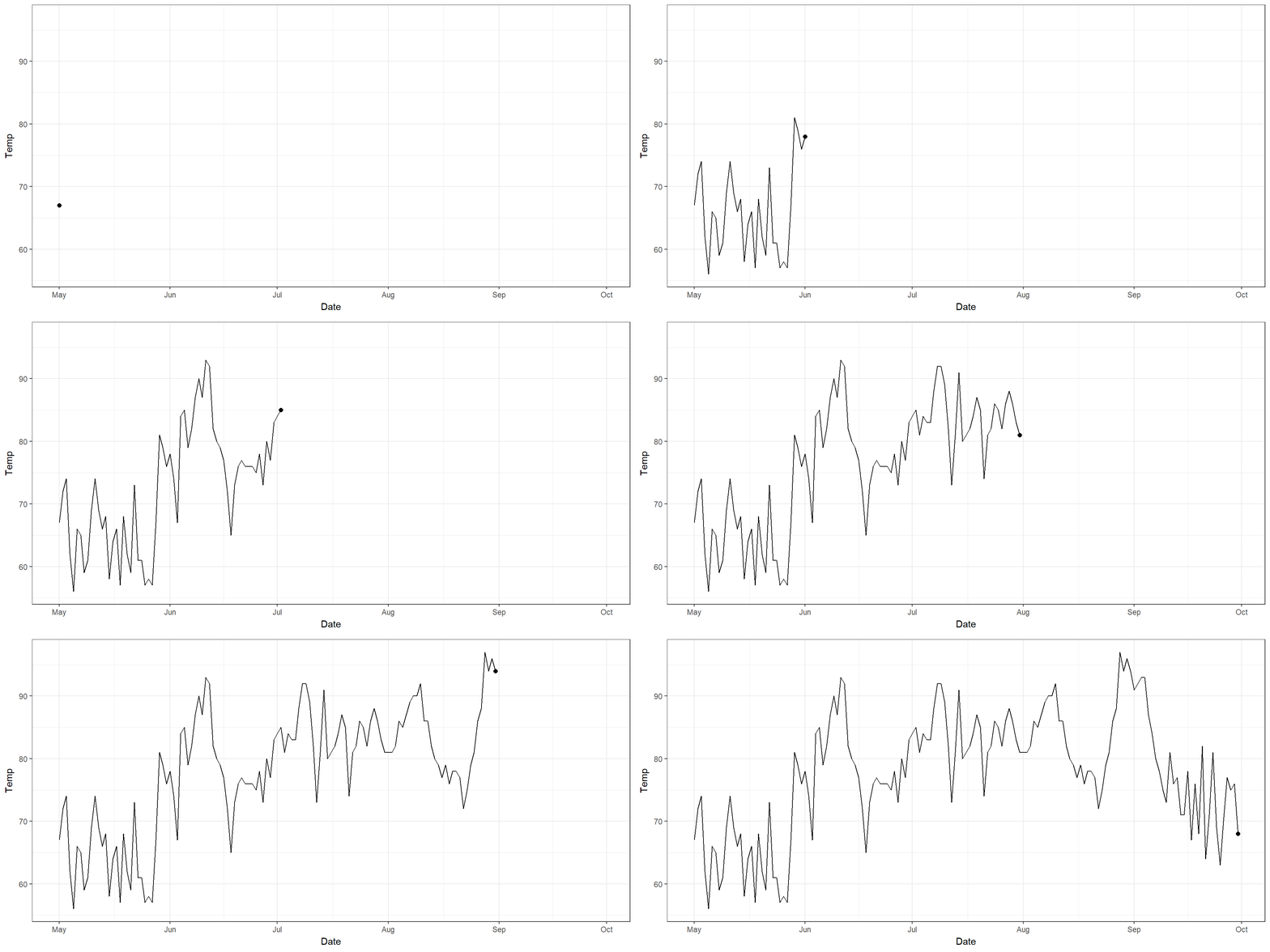
Code
p +
  geom_line() +
  transition_reveal(Date)

Transitions

  • transition_events()
    • Gives you detailed control over when items enter and exit.
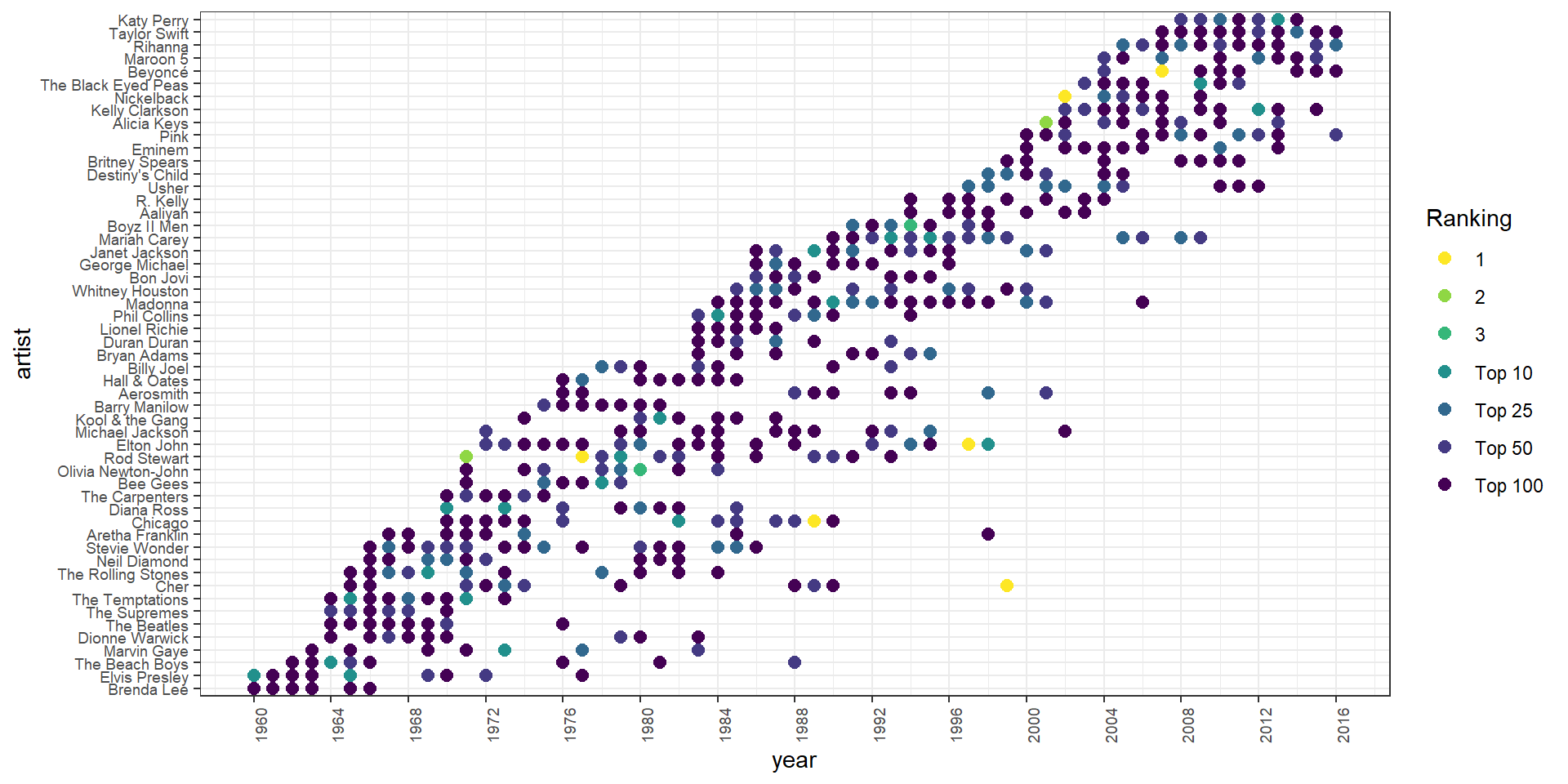
    • Let’s animate the Billboard Top 100 artists.
# Data on Billboard Hot 100 songs
# 1960 - 2016
library(billboard)

data("wiki_hot_100s")

wiki_hot_100s <- wiki_hot_100s %>% 
  mutate(no = as.numeric(no),
         year = as.numeric(year))

head(wiki_hot_100s)
  no                     title              artist year
1  1 Theme from A Summer Place         Percy Faith 1960
2  2          He'll Have to Go          Jim Reeves 1960
3  3             Cathy's Clown The Everly Brothers 1960
4  4              Running Bear      Johnny Preston 1960
5  5                Teen Angel        Mark Dinning 1960
6  6                 I'm Sorry          Brenda Lee 1960

Transitions

  • transition_events()
    • Gives you detailed control over when items enter and exit.
    • Some data wrangling:
# Find those artists with at least 10 appearances
multi <- wiki_hot_100s %>% 
  count(artist) %>% 
  filter(n > 10)

# Subset data to just those
tens <- wiki_hot_100s %>% 
  filter(artist %in% multi$artist)

# Sort by earliest appearance
sorted <- tens %>% 
  group_by(artist) %>% 
  summarize(start = min(year)) %>% 
  arrange(start) %>% 
  # Pull vector of artist names
  pull(artist)

# Change artist to factor by date
tens <- tens %>% 
  mutate(artist = factor(artist, levels = sorted)) %>% 
  # Categorize number of song
  mutate(no_cat = case_when(
           no == 1 ~ "1",
           no == 2 ~ "2",
           no == 3 ~ "3", 
           no <= 10 ~ "Top 10",
           no <= 25 ~ "Top 25",
           no <= 50 ~ "Top 50",
           no <= 100 ~ "Top 100"
         )) %>% 
  # Factor
  mutate(no_cat = factor(no_cat, 
                         levels = c("1", "2", "3", "Top 10",
                                    "Top 25", "Top 50", "Top 100")))

# Create data.frame of first and last appearance
fl <- tens %>% 
  group_by(artist) %>% 
  summarize(first = min(year), last = max(year))

# Join
tens_fl <- tens %>% 
  left_join(fl, by = "artist")

Transitions

  • transition_events()
    • Gives you detailed control over when items enter and exit.
    • Static plot:
Code
# Plot
p <- ggplot(tens_fl, aes(x = year, y = artist, color = no_cat)) +
  geom_point(size = 2.5) +
  scale_color_viridis_d(name = "Ranking", direction = -1) +
  scale_x_continuous(breaks = seq(1960, 2016, by = 4)) +
  theme_bw() +
  theme(axis.text.x = element_text(angle = 90, hjust = 1),
        axis.text = element_text(size = 7))
p
Transitions

  • transition_events()
    • Gives you detailed control over when items enter and exit.
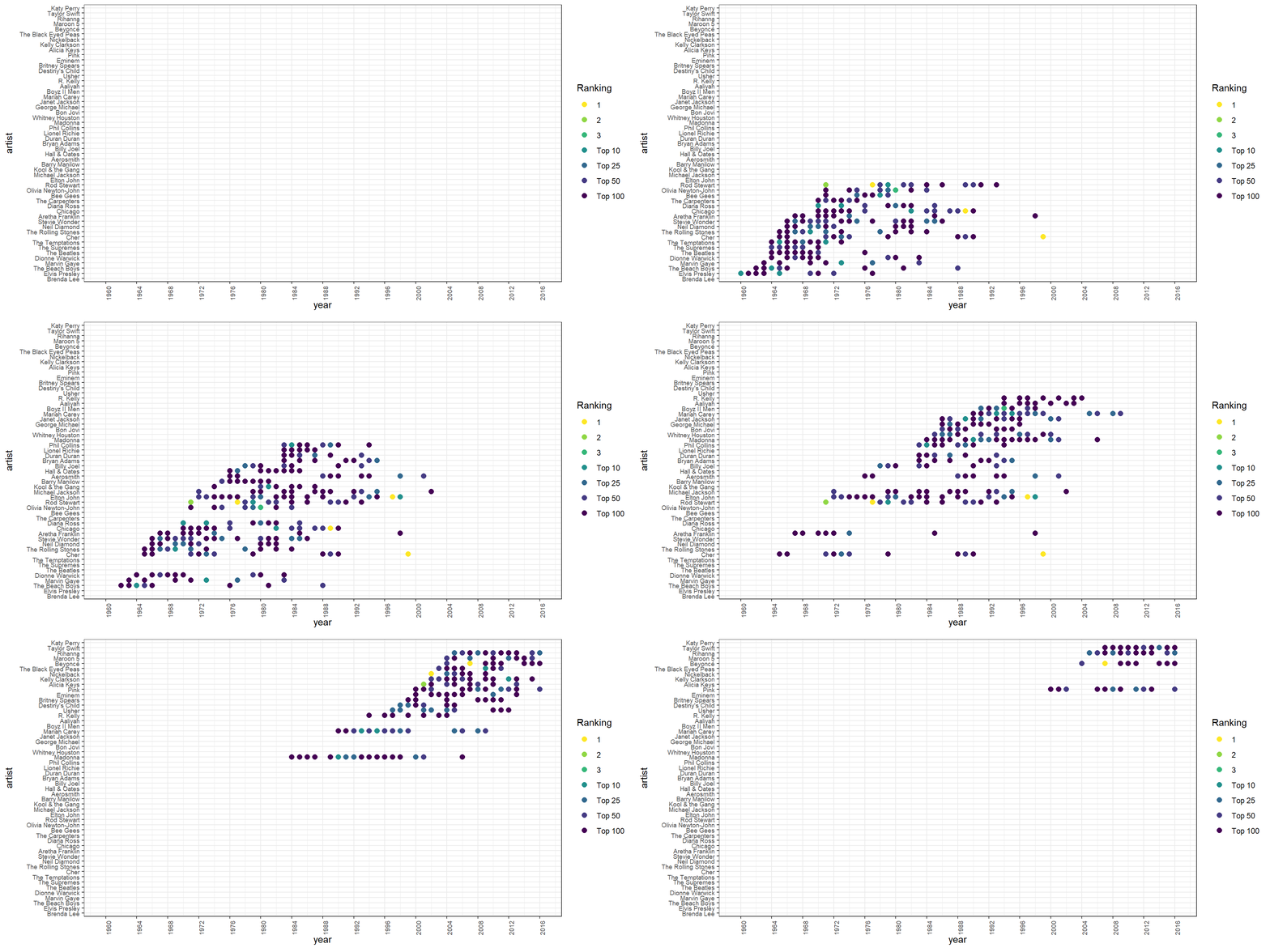
    • Animation that groups contemporaries together:
Code
# Animate
p +
  transition_events(start = first, end = last,
                    enter_length = 1, exit_length = 2) +
  enter_appear() +
  exit_disappear()

Transitions

  • transition_filter()
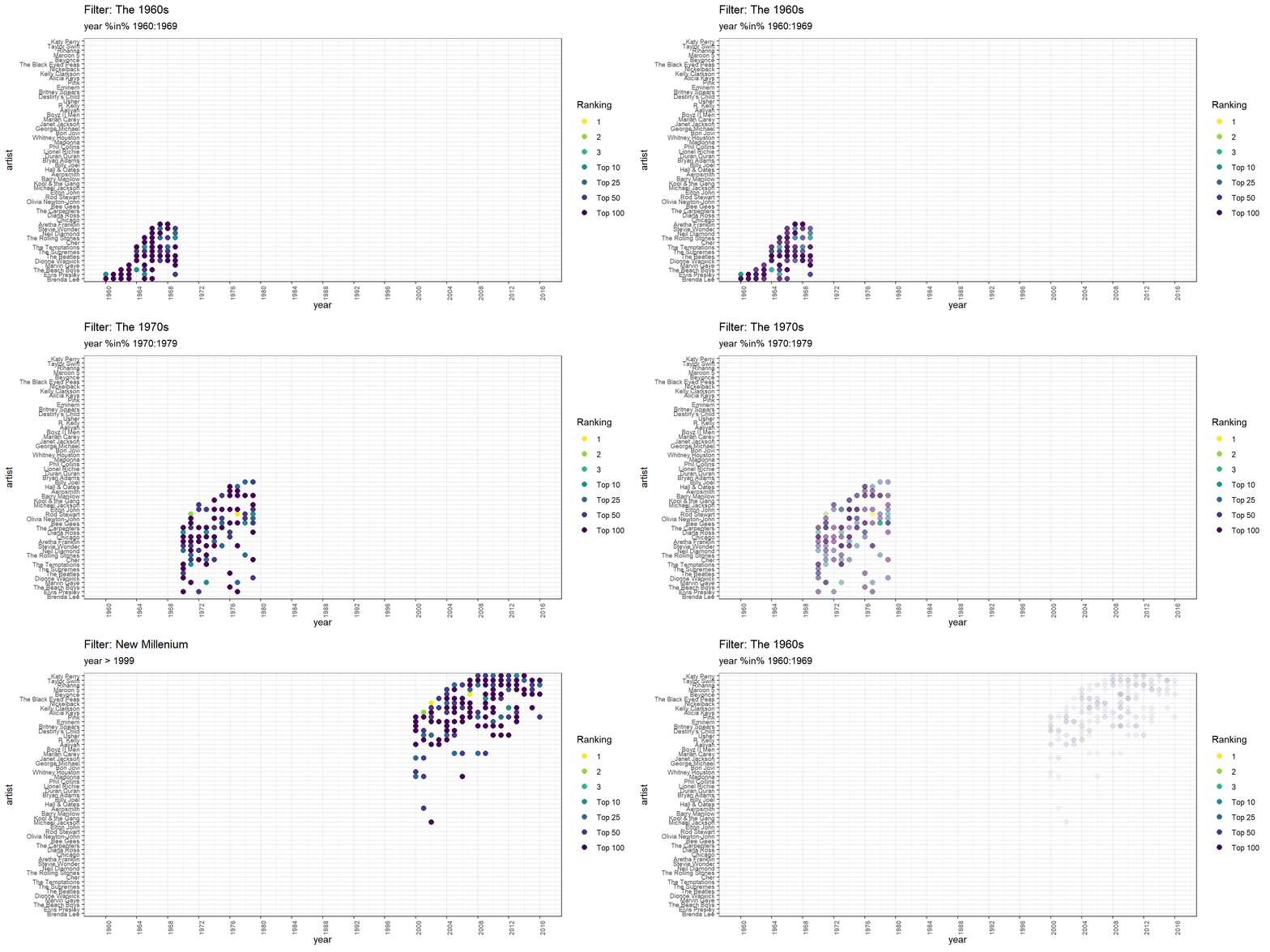
    • Let’s you use sequential filters to remove pieces of data.
    • Useful for gradually arriving at a relevant subset of data.
Code
# Animate
p +
  transition_filter(transition_length = 1,
                    filter_length = 1,
                    `The 1960s` = year %in% 1960:1969,
                    `The 1970s` = year %in% 1970:1979,
                    `New Millenium` = year > 1999) +
  ggtitle(
    'Filter: {closest_filter}',
    subtitle = '{closest_expression}'
  ) +
  enter_appear() +
  exit_fade()

Transition

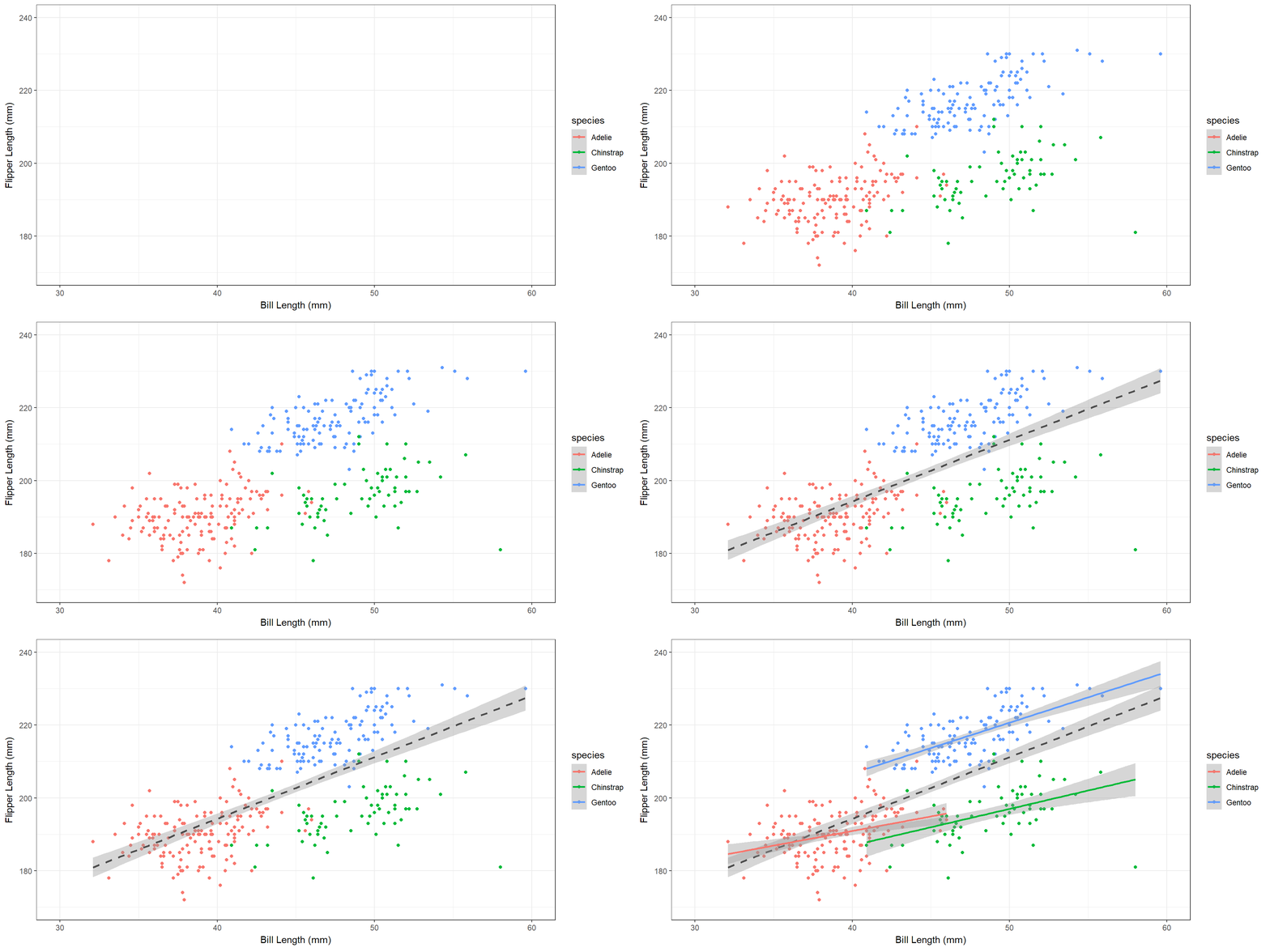
  • transition_layers()
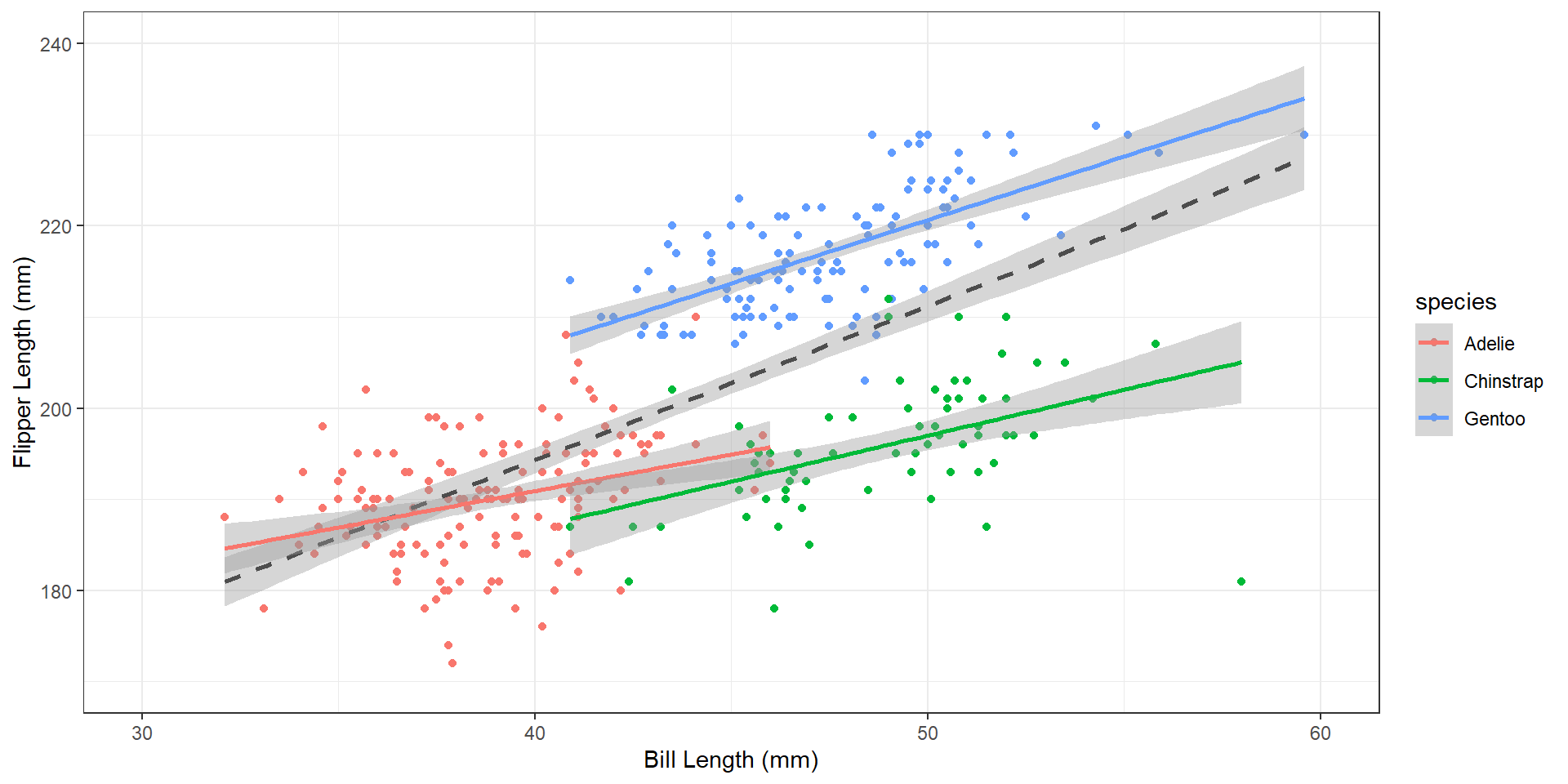
    • Build-up an animation one layer at a time.
    • I.e., add each geom sequentially.
Code
# Plot penguins data
data("penguins")

p <- penguins %>% 
  ggplot() +
  geom_point(aes(x = bill_len, y = flipper_len, color = species)) +
  geom_smooth(aes(x = bill_len, y = flipper_len), 
              method = "lm", color = "gray30", linetype = "dashed") +
  geom_smooth(aes(x = bill_len, y = flipper_len, color = species),
              method = "lm") +
  coord_cartesian(xlim = c(30, 60),
                  ylim = c(170, 240)) +
  labs(x = "Bill Length (mm)",
       y = "Flipper Length (mm)") +
  theme_bw()

p  
Transition

  • transition_layers()
    • Build-up an animation one layer at a time.
    • I.e., add each geom sequentially.
Code
# Animate
p +
  transition_layers()

Transition

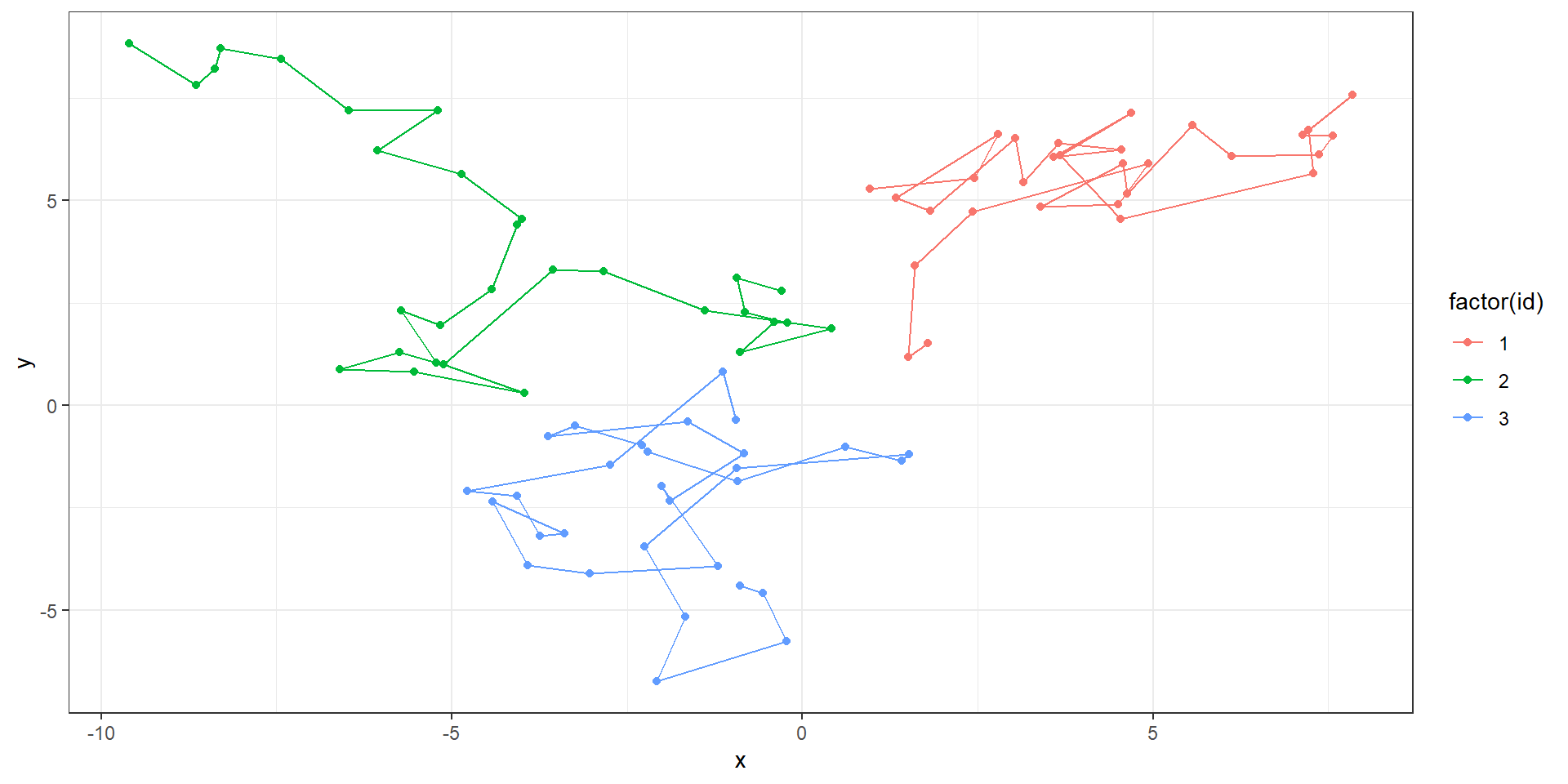
  • transition_components()
    • Transitions individual “components” around the figure.
    • Each component has its own time column, so can enter and exit at any time.
# Function sample data from a random walk.
rw <- function(id) {
  # Empty data.frame
  df <- data.frame(id = id, 
                   t = 1:30,
                   x = NA, y = NA)
  # Random starting location
  df$x[1] <- runif(1, min = -3, max = 3)
  df$y[1] <- runif(1, min = -3, max = 3)
  
  # Loop to "walk"
  for (t in 2:30) {
    df$x[t] <- df$x[t - 1] + rnorm(1)
    df$y[t] <- df$y[t - 1] + rnorm(1)
  }
  
  # Return
  return(df)
}

# Sample 3 individuals
set.seed(123456)
dat <- lapply(1:3, rw) %>% 
  bind_rows()

Transition

  • transition_components()
    • Transitions individual “components” around the figure.
    • Each component has its own time column, so can enter and exit at any time.
Code
dat %>% 
  group_by(id) %>% 
  mutate(xend = lead(x), yend = lead(y)) %>% 
  ggplot(aes(x = x, y = y, color = factor(id), group = factor(id))) +
  geom_point() +
  geom_segment(aes(xend = xend, yend = yend)) +
  theme_bw()

Transition

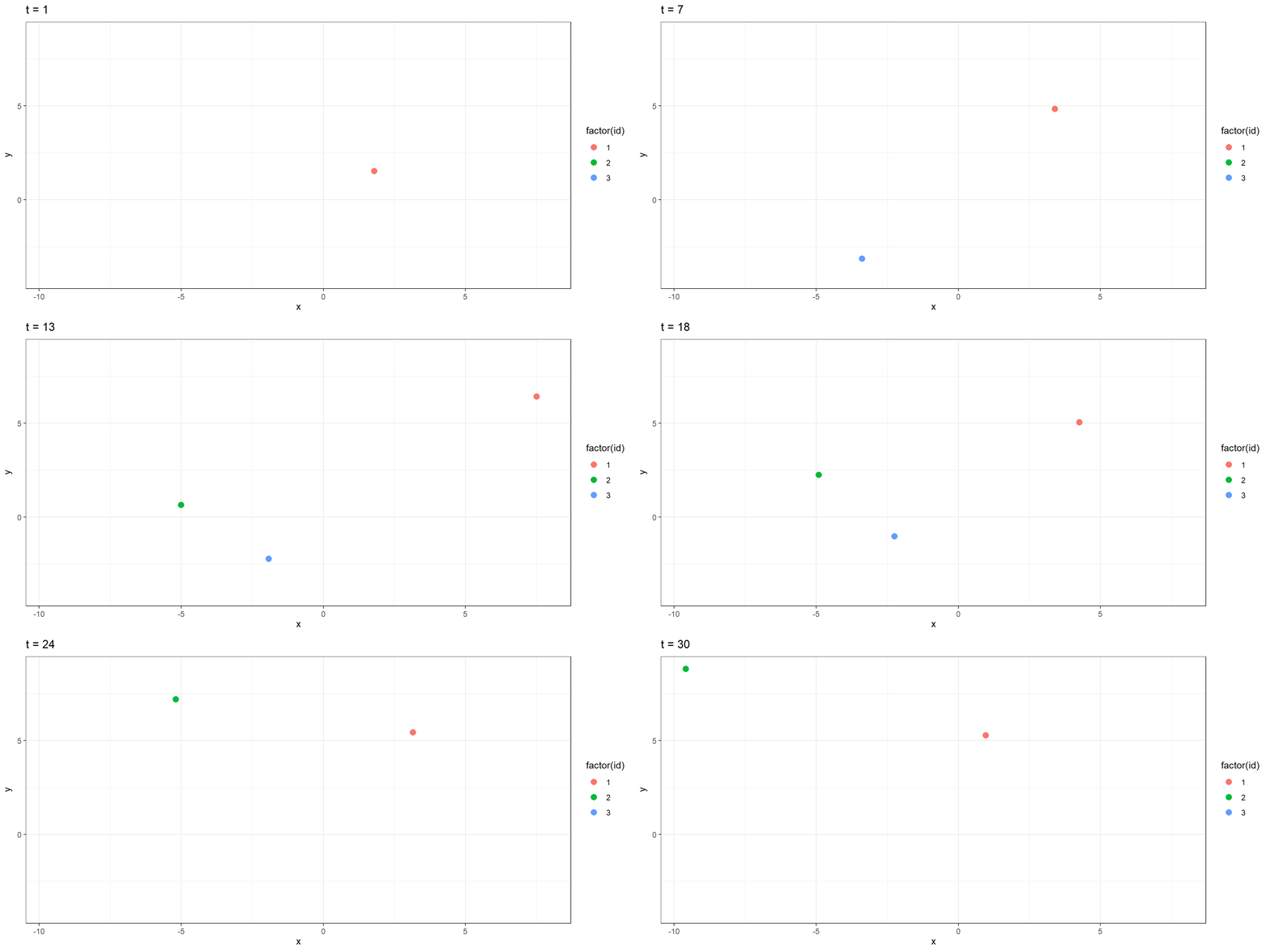
  • transition_components()
    • Transitions individual “components” around the figure.
    • Each component has its own time column, so can enter and exit at any time.
Code
dat %>% 
  # Let ID 1 go all 30 timesteps
  # Only let ID 2 enter at t = 10
  # Have ID 3 go from t = 5 to 20
  filter(id == 1 | (id == 2 & t > 9) | (id == 3 & t %in% 5:20)) %>% 
  ggplot(aes(x = x, y = y, color = factor(id), group = factor(id))) +
  geom_point(size = 3) +
  theme_bw() +
  transition_components(time = t) +
  ggtitle("t = {frame_time}")
Views

  • Change the axes as the data change.
  • view_follow()
    • Follow the data in each frame.
  • view_step()
    • Follow the data in steps.
  • view_zoom()
    • Zoom between states.

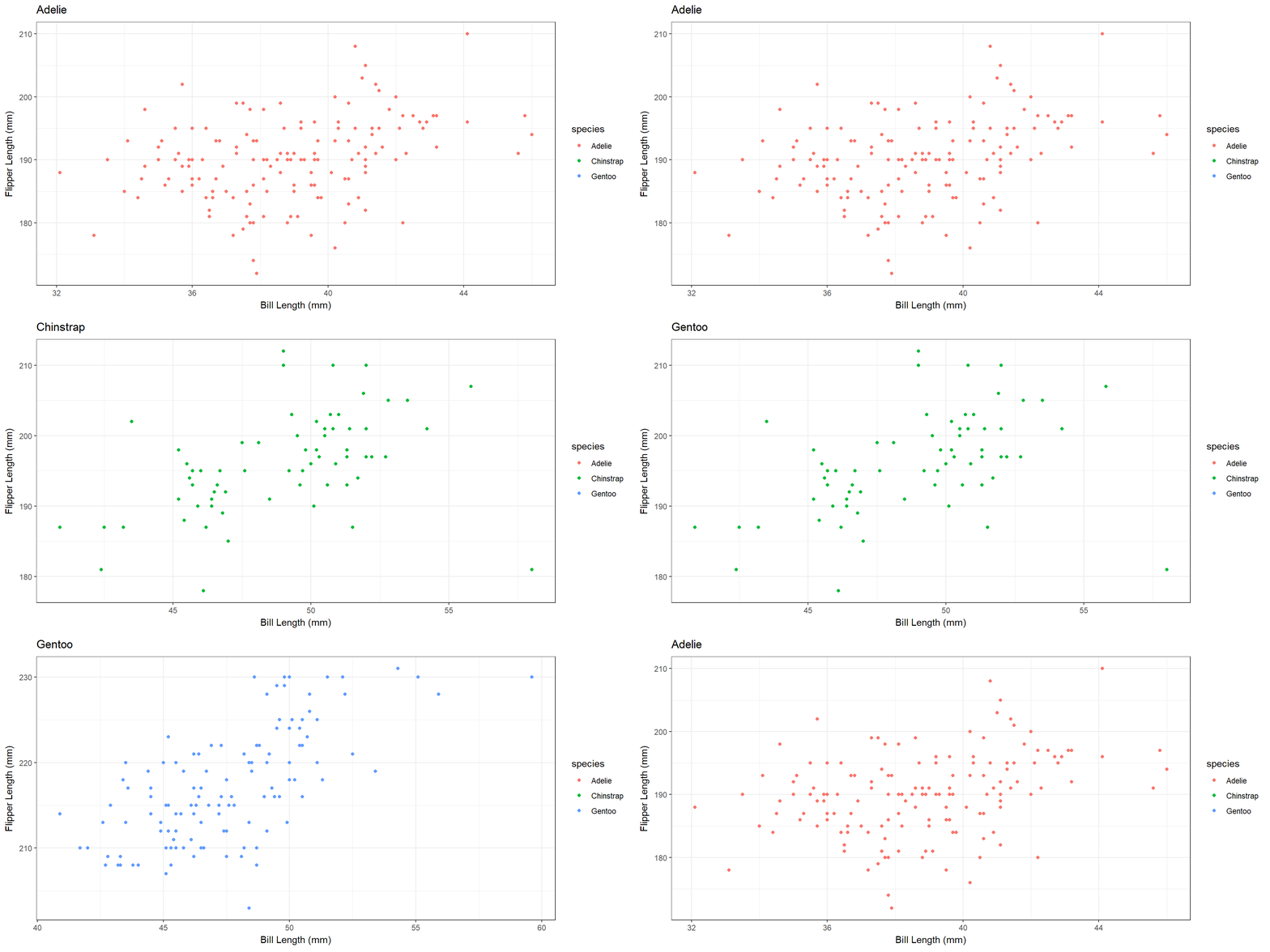
Views

  • view_follow()
    • Follow the data in each frame.
Code
penguins %>% 
  filter(!is.na(bill_len),
         !is.na(flipper_len)) %>% 
  ggplot(aes(bill_len, flipper_len, color = species)) +
  geom_point() +
  theme_bw() +
  labs(x = "Bill Length (mm)", 
       y = "Flipper Length (mm)", 
       title = "{closest_state}") +
  transition_states(species, transition_length = 4, state_length = 1) +
  view_follow()
Views

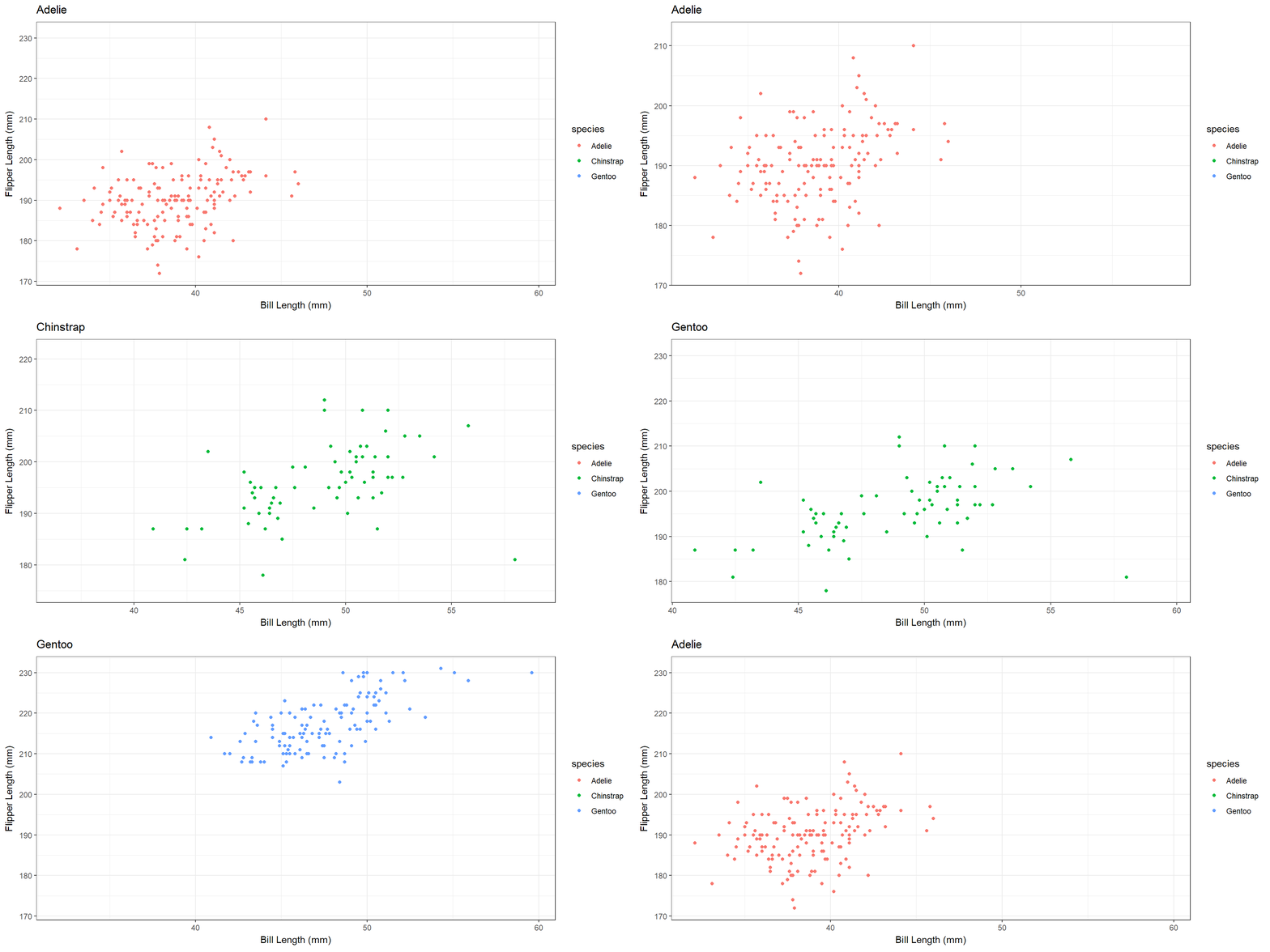
  • view_step()
    • Follow the data in steps.
Code
penguins %>% 
  filter(!is.na(bill_len),
         !is.na(flipper_len)) %>% 
  ggplot(aes(bill_len, flipper_len, color = species)) +
  geom_point() +
  theme_bw() +
  labs(x = "Bill Length (mm)", 
       y = "Flipper Length (mm)", 
       title = "{closest_state}") +
  transition_states(species, transition_length = 4, state_length = 1) +
  view_step(pause_length = 2, step_length = 1, nsteps = 3)
Views

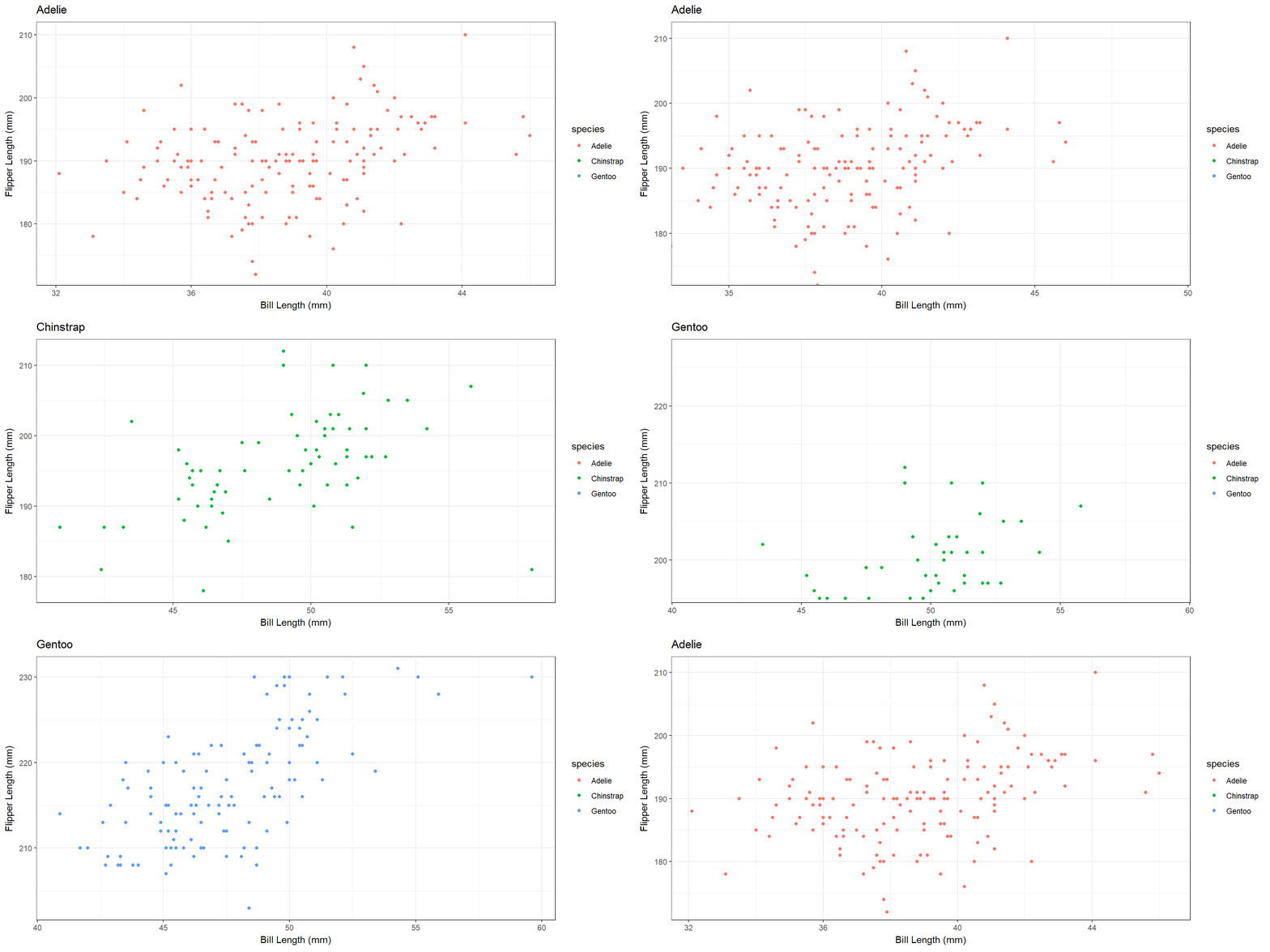
  • view_zoom()
    • Zoom between states.
    • Does a combination of zooming and panning.
      • Controlled by argument pan_zoom.
Code
penguins %>% 
  filter(!is.na(bill_len),
         !is.na(flipper_len)) %>% 
  ggplot(aes(bill_len, flipper_len, color = species)) +
  geom_point() +
  theme_bw() +
  labs(x = "Bill Length (mm)", 
       y = "Flipper Length (mm)", 
       title = "{closest_state}") +
  transition_states(species, transition_length = 4, state_length = 1) +
  view_zoom(pause_length = 1, step_length = 2, nsteps = 3)
Shadows

  • Define how data from other frames are shown.
  • shadow_wake()
    • Show preceding frames with gradual falloff.
  • shadow_trail()
    • A trail of evenly spaced old frames.
  • shadow_mark()
    • Show original data as background marks.

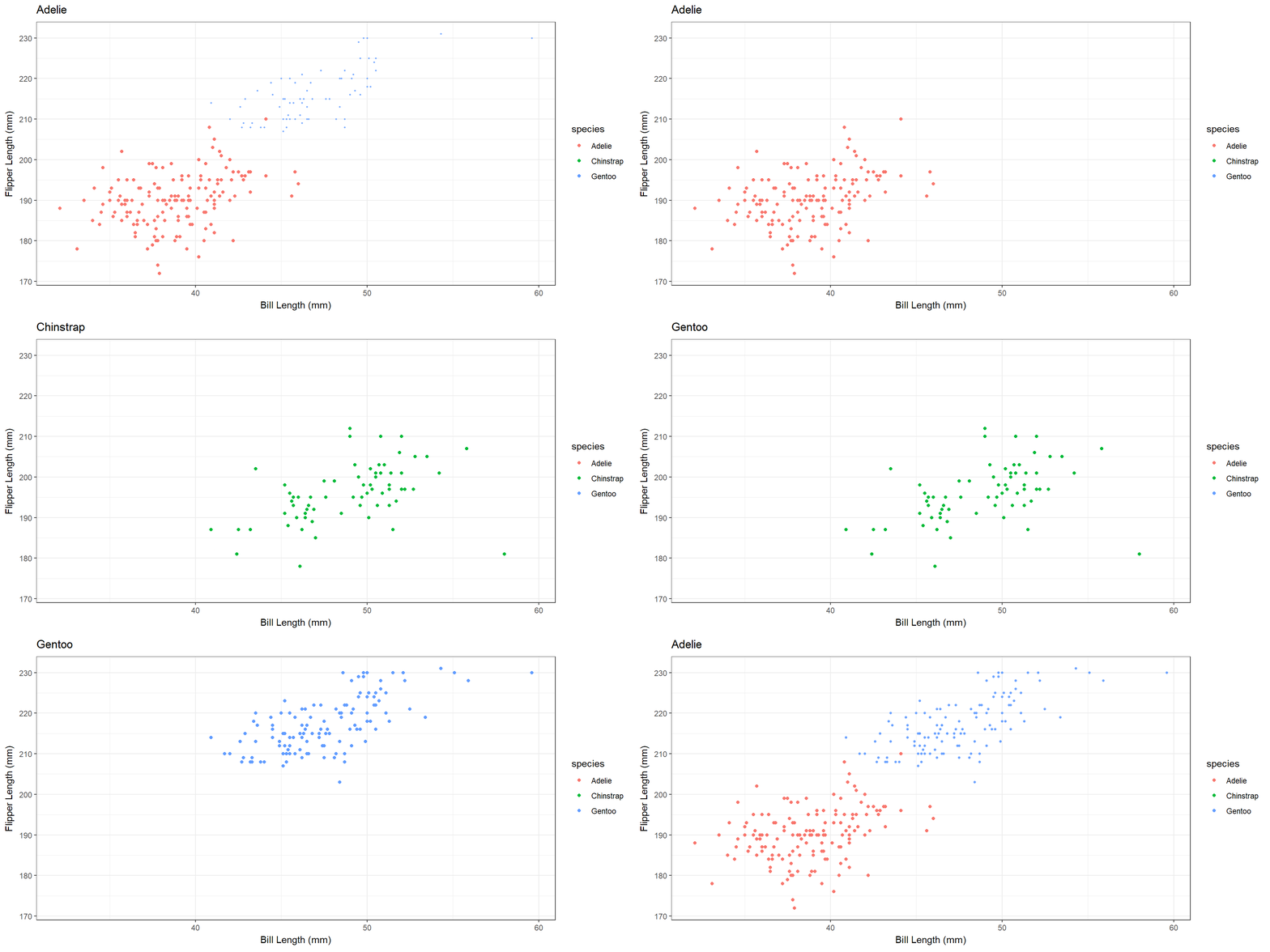
Shadows

  • shadow_wake()
    • Show preceding frames with gradual falloff.
Code
penguins %>% 
  filter(!is.na(bill_len),
         !is.na(flipper_len)) %>% 
  ggplot(aes(bill_len, flipper_len, color = species)) +
  geom_point() +
  theme_bw() +
  labs(x = "Bill Length (mm)", 
       y = "Flipper Length (mm)", 
       title = "{closest_state}") +
  transition_states(species, transition_length = 4, state_length = 1) +
  shadow_wake(wake_length = 0.1)
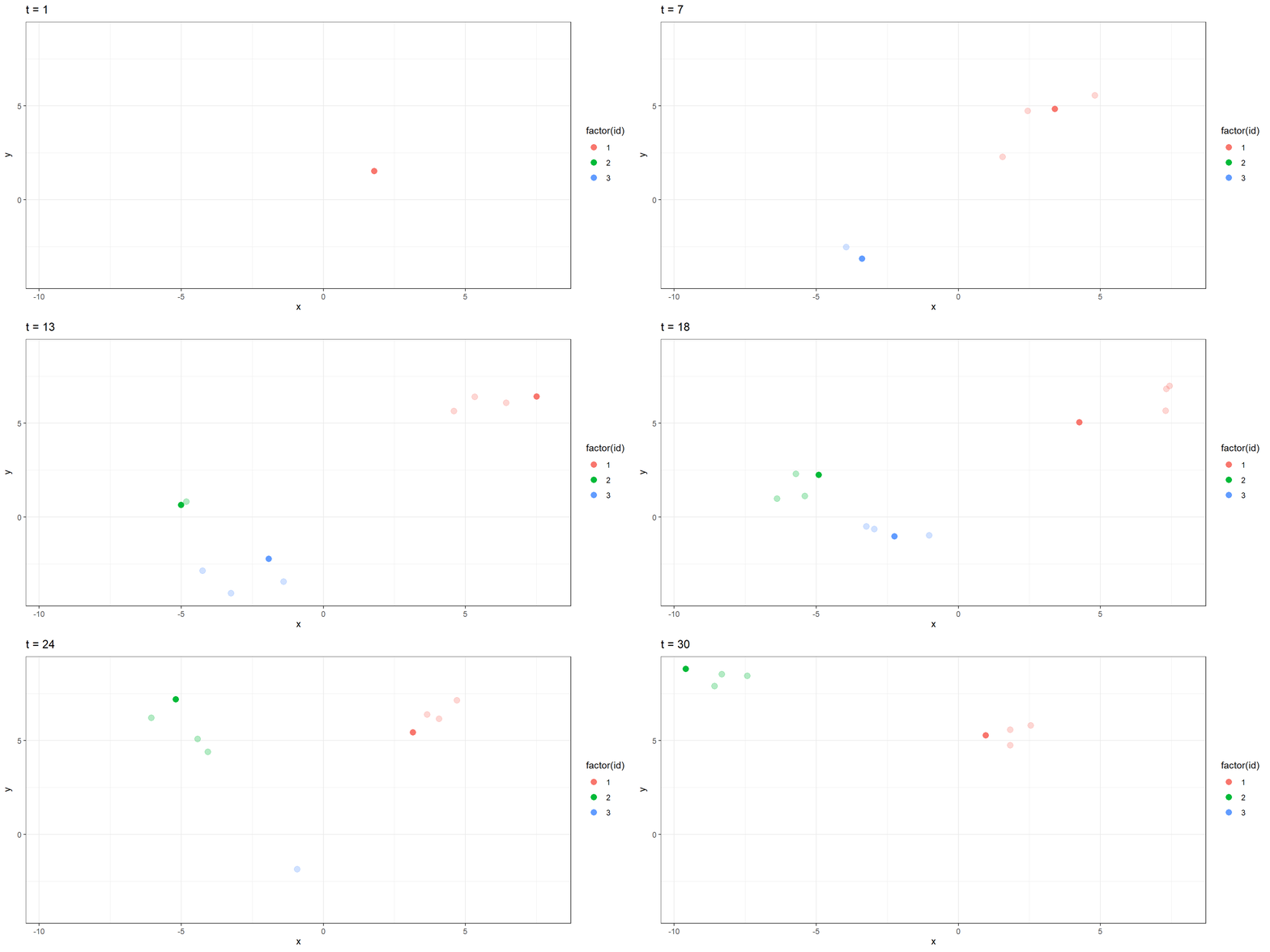
Shadows

  • shadow_trail()
    • A trail of evenly spaced old frames.
Code
dat %>% 
  # Let ID 1 go all 30 timesteps
  # Only let ID 2 enter at t = 10
  # Have ID 3 go from t = 5 to 20
  filter(id == 1 | (id == 2 & t > 9) | (id == 3 & t %in% 5:20)) %>% 
  ggplot(aes(x = x, y = y, color = factor(id), group = factor(id))) +
  geom_point(size = 3) +
  theme_bw() +
  transition_components(time = t) +
  ggtitle("t = {frame_time}") +
  shadow_trail(max_frames = 3, alpha = 0.3)
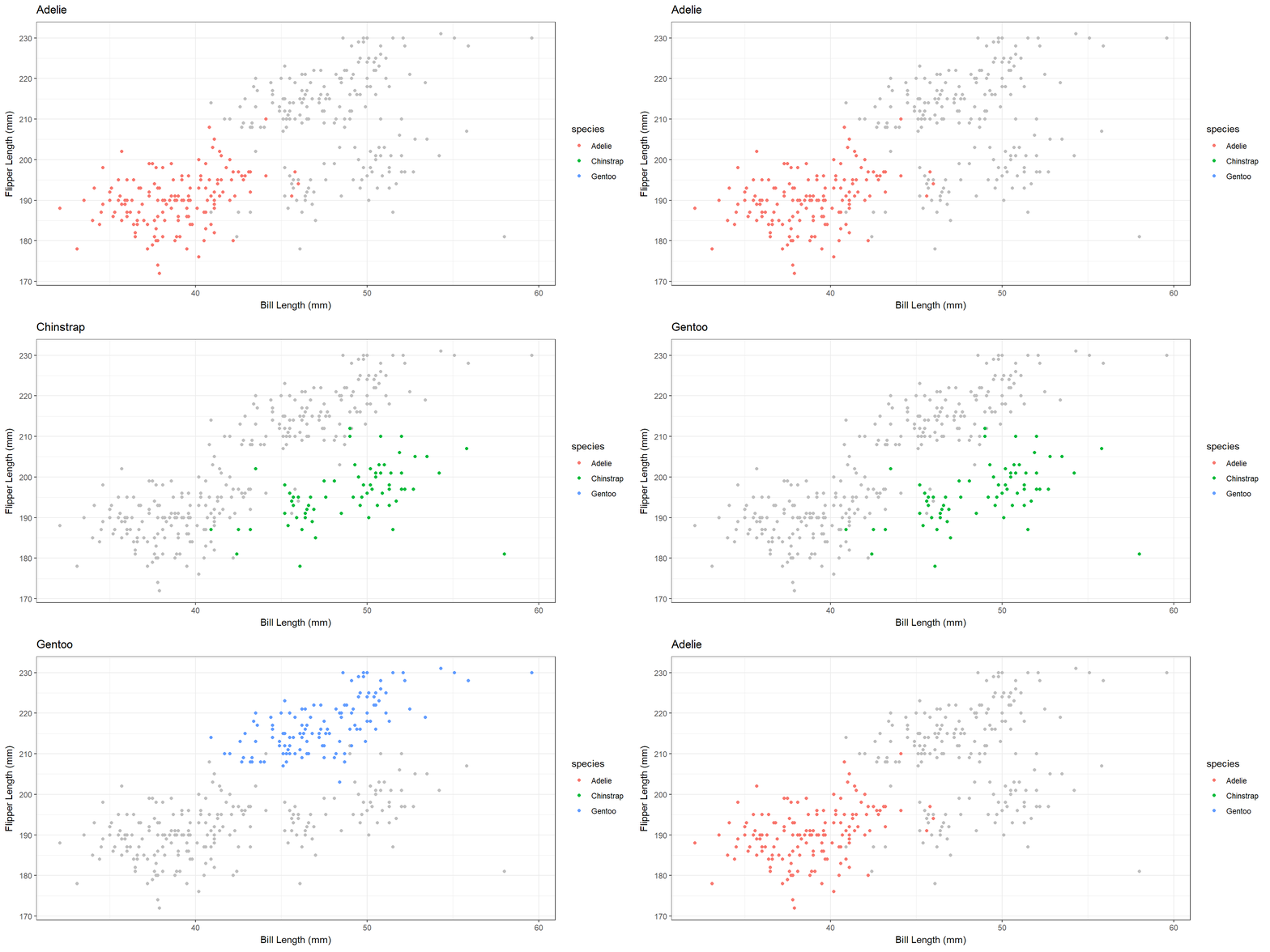
Shadows

  • shadow_mark()
    • Show original data as background marks.
Code
penguins %>% 
  filter(!is.na(bill_len),
         !is.na(flipper_len)) %>% 
  ggplot(aes(bill_len, flipper_len, color = species)) +
  geom_point() +
  theme_bw() +
  labs(x = "Bill Length (mm)", 
       y = "Flipper Length (mm)", 
       title = "{closest_state}") +
  transition_states(species, transition_length = 1, state_length = 1) +
  shadow_mark(past = TRUE, future = TRUE, colour = 'grey')
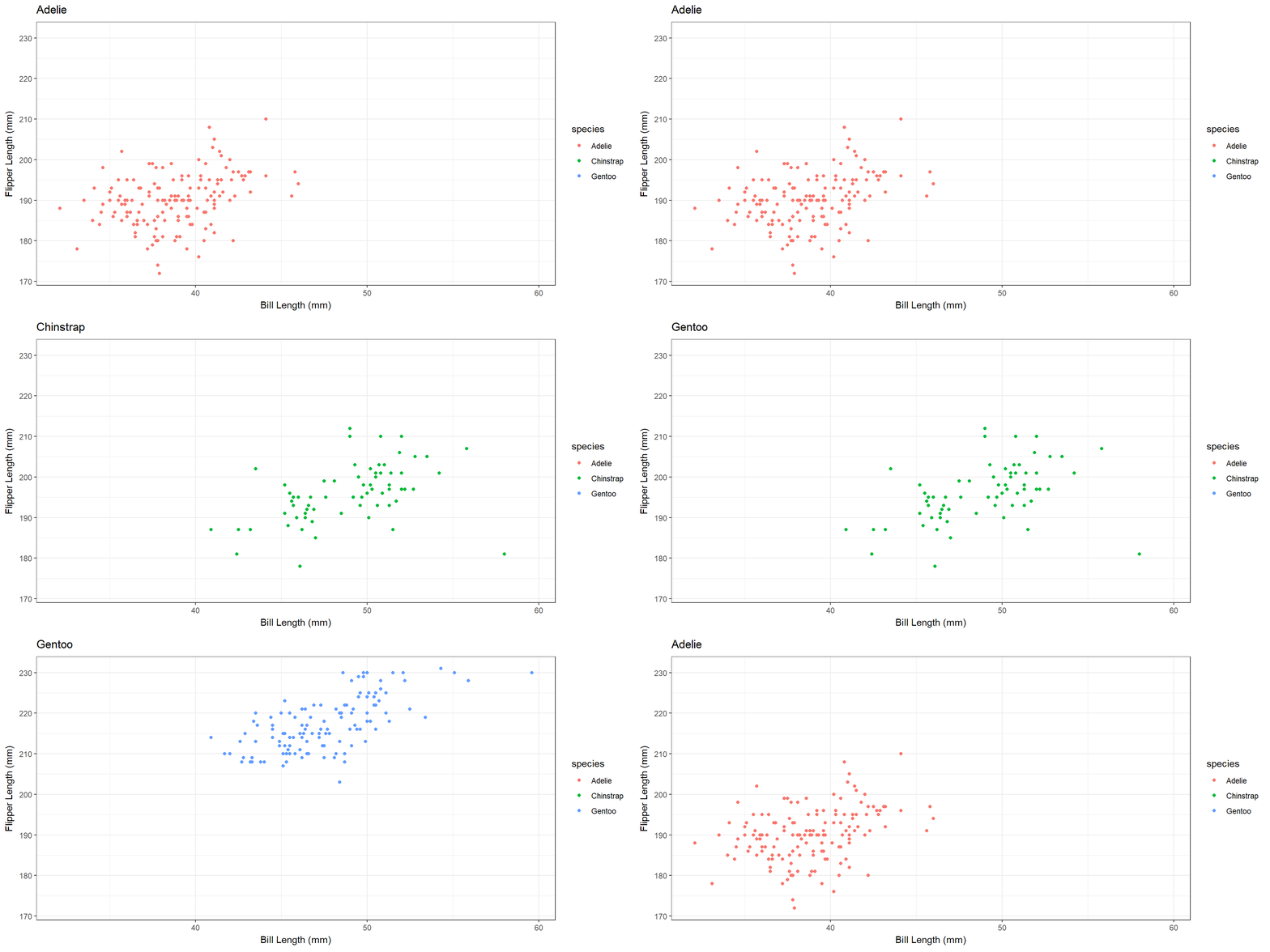
Tweening

  • Control how data enter/leave the animation.
  • enter_appear()/exit_disappear()
  • enter_fade()/exit_fade()
  • enter_grow()/exit_shrink()
  • enter_recolor()/exit_recolor()
  • enter_fly()/exit_fly()
  • enter_drift()/exit_drift()

Tweening

  • enter_appear()/exit_disappear()
  • Default options for transitions.
Code
penguins %>% 
  filter(!is.na(bill_len),
         !is.na(flipper_len)) %>% 
  ggplot(aes(bill_len, flipper_len, color = species)) +
  geom_point() +
  theme_bw() +
  labs(x = "Bill Length (mm)", 
       y = "Flipper Length (mm)", 
       title = "{closest_state}") +
  transition_states(species, transition_length = 1, state_length = 1) +
  enter_appear() +
  exit_disappear()
Tweening

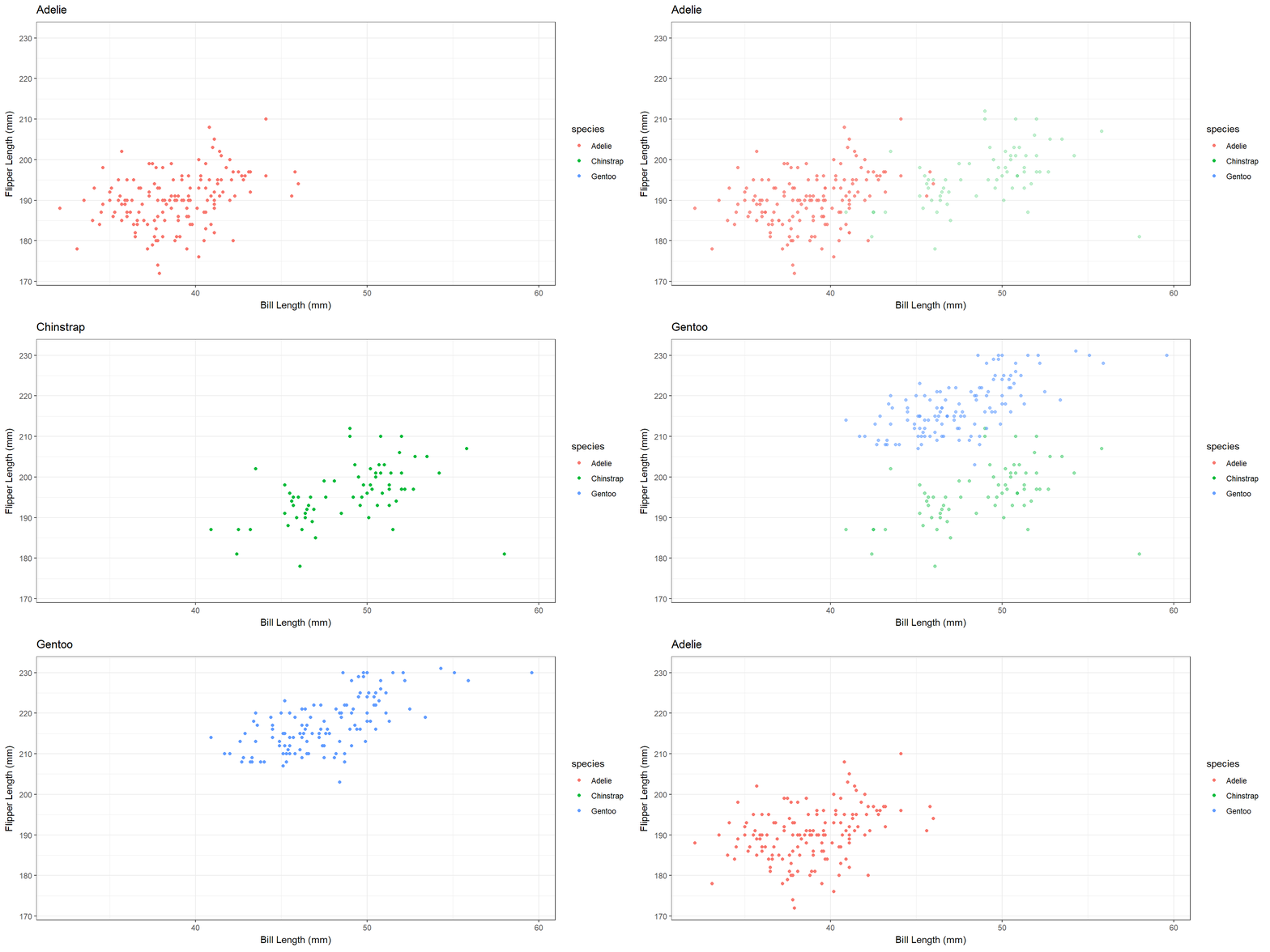
  • enter_fade()/exit_fade()
Code
penguins %>% 
  filter(!is.na(bill_len),
         !is.na(flipper_len)) %>% 
  ggplot(aes(bill_len, flipper_len, color = species)) +
  geom_point() +
  theme_bw() +
  labs(x = "Bill Length (mm)", 
       y = "Flipper Length (mm)", 
       title = "{closest_state}") +
  transition_states(species, transition_length = 1, state_length = 1) +
  enter_fade() +
  exit_fade()
Tweening

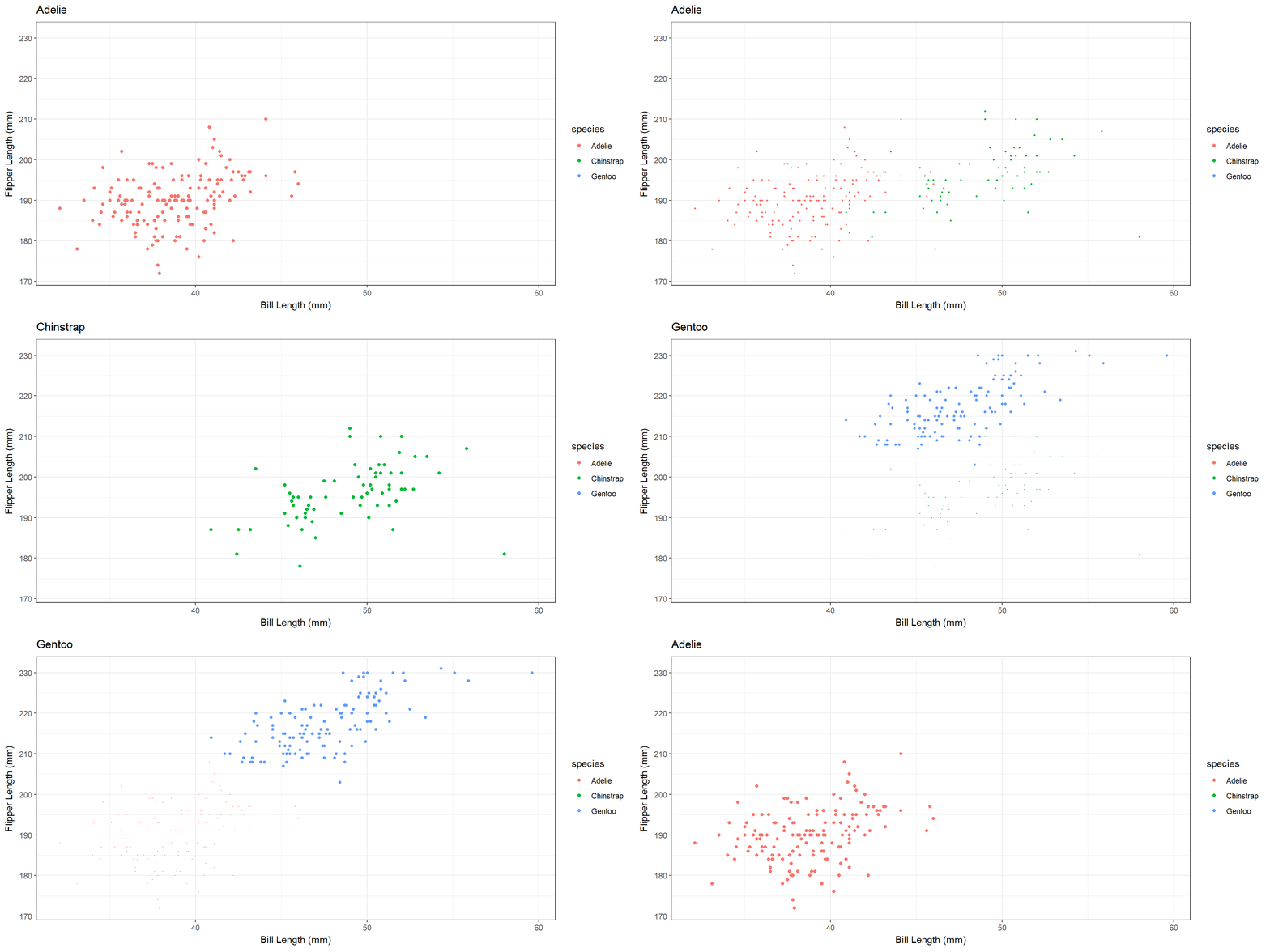
  • enter_grow()/exit_shrink()
Code
penguins %>% 
  filter(!is.na(bill_len),
         !is.na(flipper_len)) %>% 
  ggplot(aes(bill_len, flipper_len, color = species)) +
  geom_point() +
  theme_bw() +
  labs(x = "Bill Length (mm)", 
       y = "Flipper Length (mm)", 
       title = "{closest_state}") +
  transition_states(species, transition_length = 3, state_length = 1) +
  enter_grow() +
  exit_shrink()
Tweening

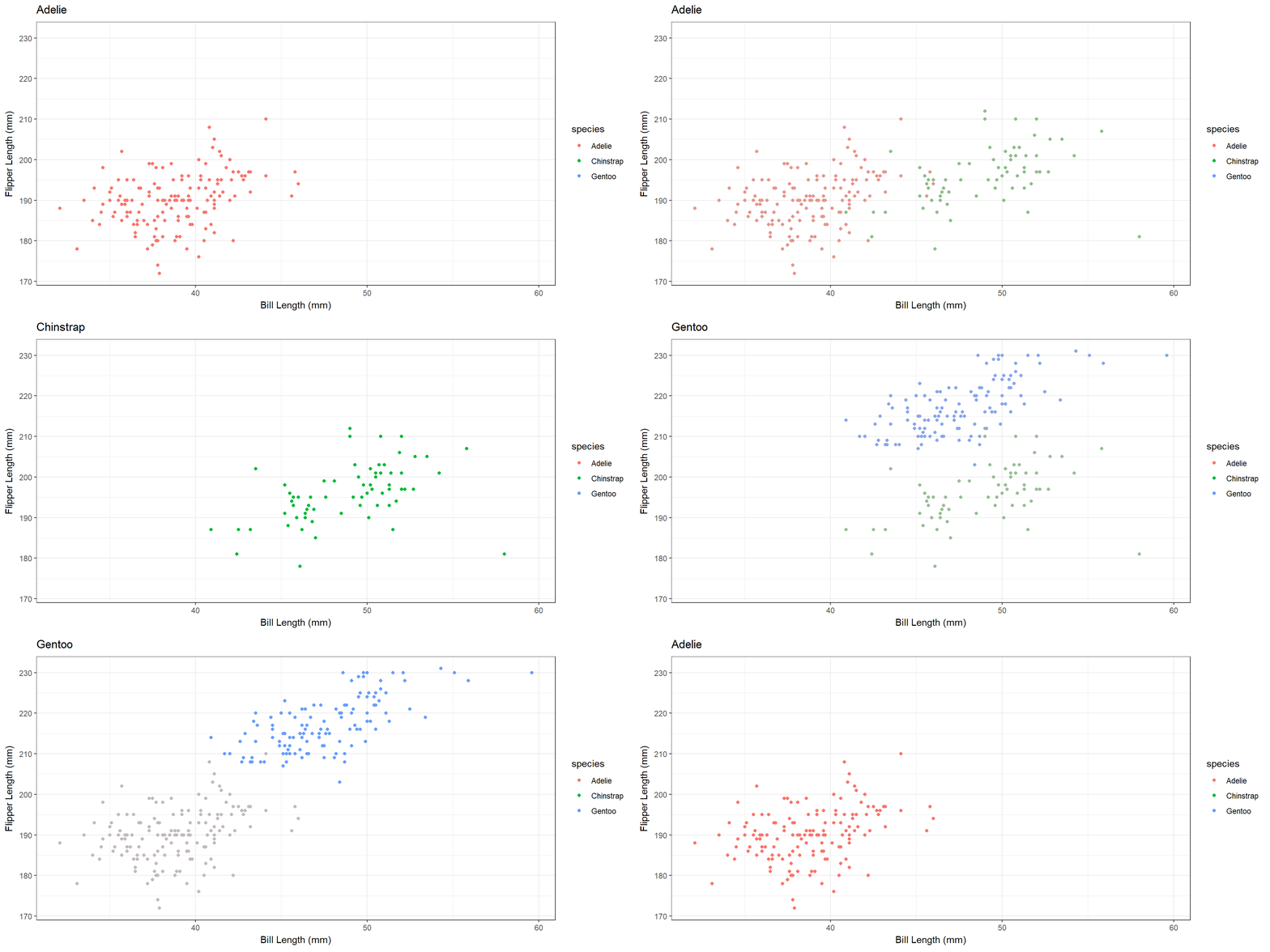
  • enter_recolor()/exit_recolor()
Code
penguins %>% 
  filter(!is.na(bill_len),
         !is.na(flipper_len)) %>% 
  ggplot(aes(bill_len, flipper_len, color = species)) +
  geom_point() +
  theme_bw() +
  labs(x = "Bill Length (mm)", 
       y = "Flipper Length (mm)", 
       title = "{closest_state}") +
  transition_states(species, transition_length = 2, state_length = 1) +
  enter_recolor(color = "gray") +
  exit_recolor(color = "gray")
Tweening

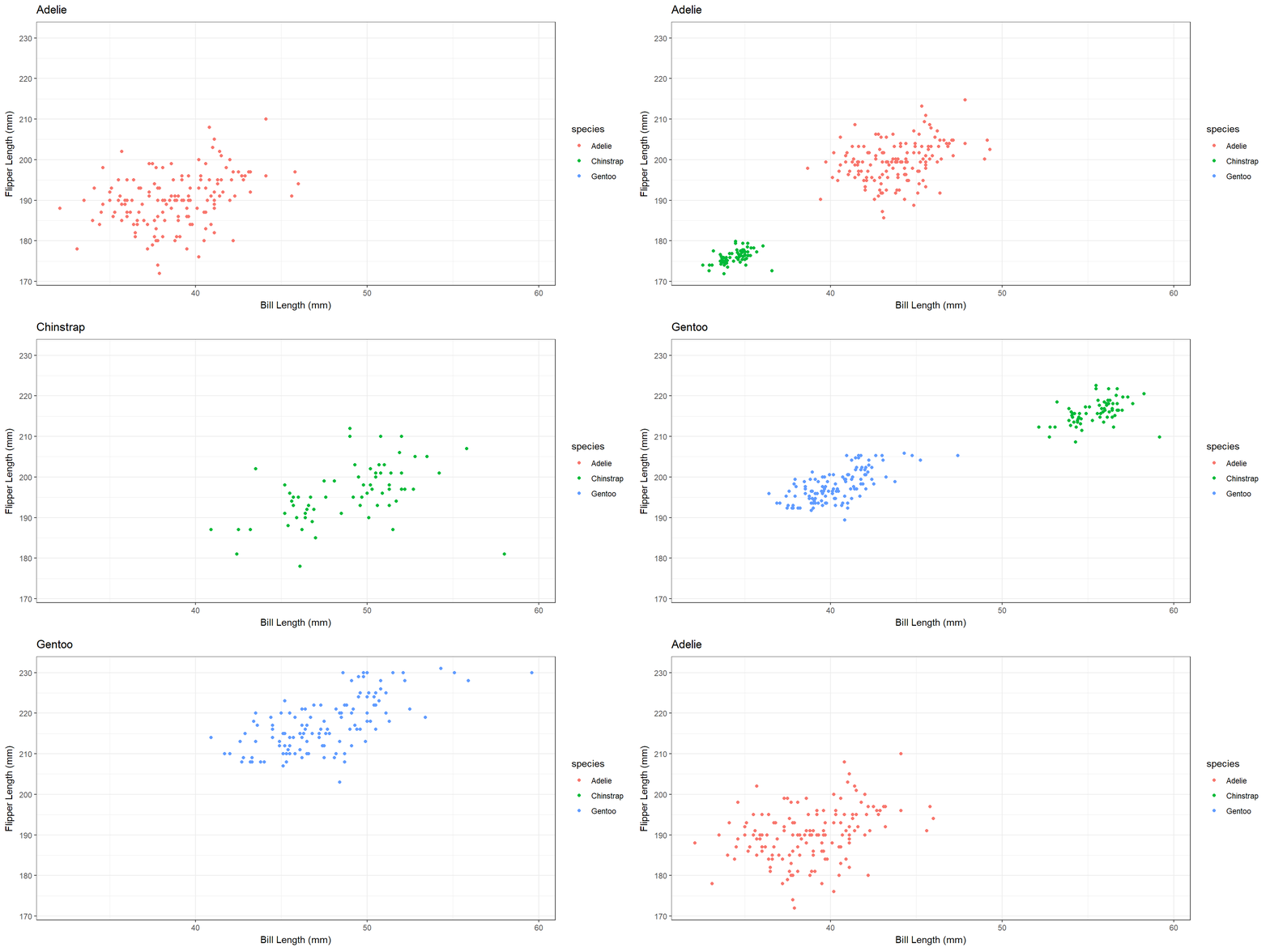
  • enter_fly()/exit_fly()
Code
penguins %>% 
  filter(!is.na(bill_len),
         !is.na(flipper_len)) %>% 
  ggplot(aes(bill_len, flipper_len, color = species)) +
  geom_point() +
  theme_bw() +
  labs(x = "Bill Length (mm)", 
       y = "Flipper Length (mm)", 
       title = "{closest_state}") +
  transition_states(species, transition_length = 1, state_length = 1) +
  enter_fly(x_loc = 30, y_loc = 170) +
  exit_fly(x_loc = 60, y_loc = 230)
Tweening

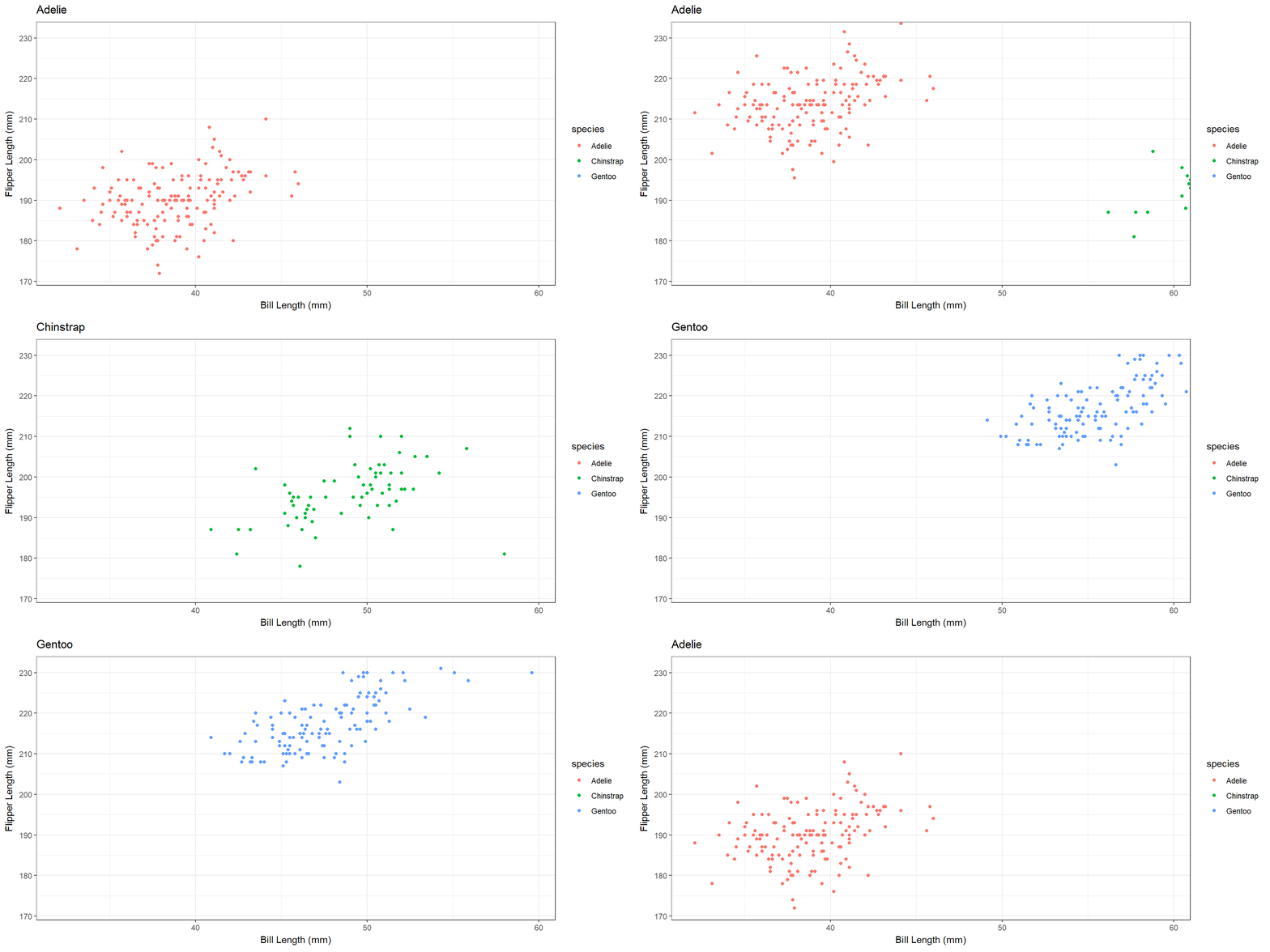
  • enter_drift()/exit_drift()
Code
penguins %>% 
  filter(!is.na(bill_len),
         !is.na(flipper_len)) %>% 
  ggplot(aes(bill_len, flipper_len, color = species)) +
  geom_point() +
  theme_bw() +
  labs(x = "Bill Length (mm)", 
       y = "Flipper Length (mm)", 
       title = "{closest_state}") +
  transition_states(species, transition_length = 1, state_length = 1) +
  enter_drift(x_mod = 20) +
  exit_drift(y_mod = 100)
Tweening

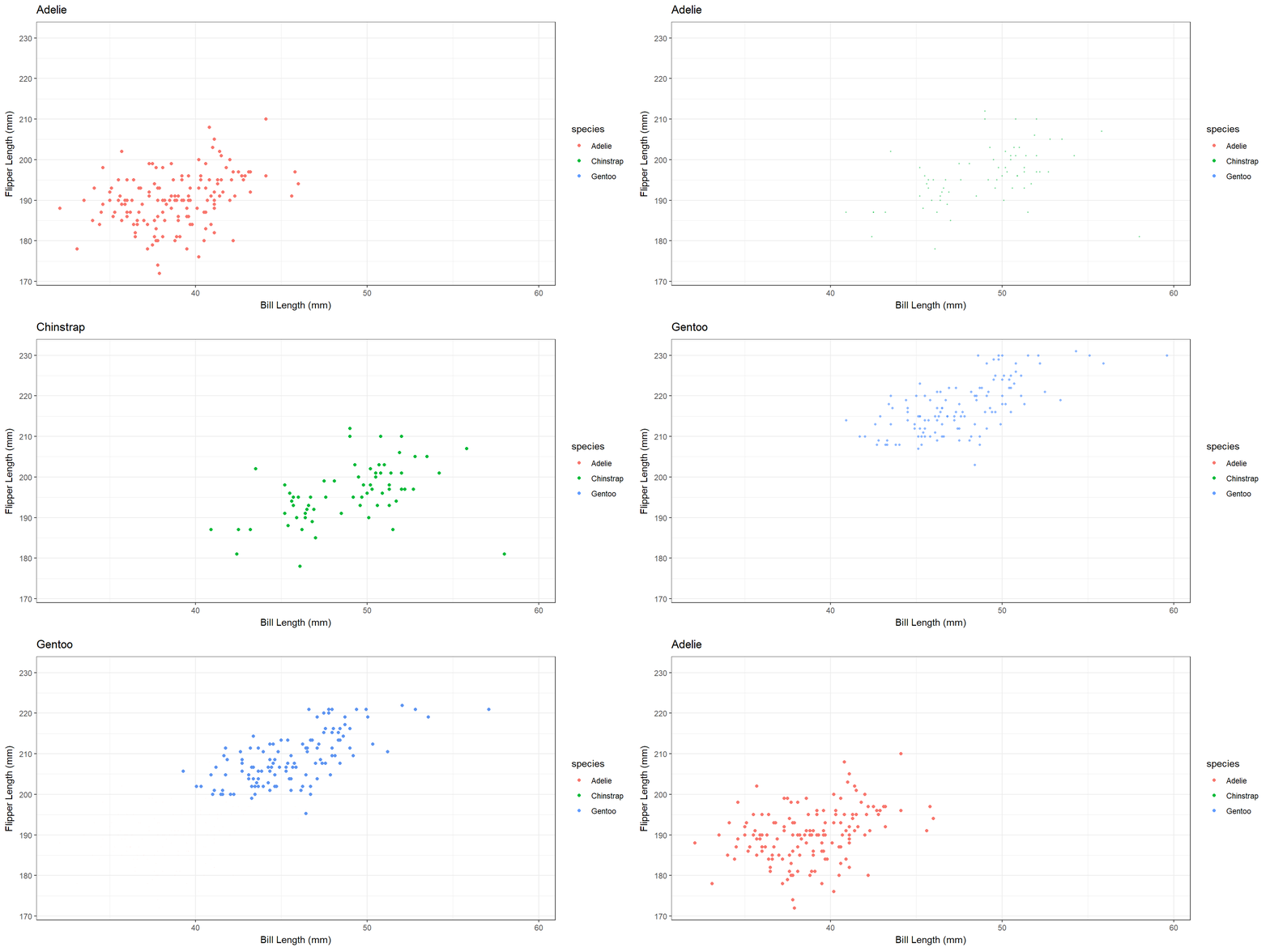
  • You can combine multiple enter_*()/exit_*() effects.
Code
penguins %>% 
  filter(!is.na(bill_len),
         !is.na(flipper_len)) %>% 
  ggplot(aes(bill_len, flipper_len, color = species)) +
  geom_point() +
  theme_bw() +
  labs(x = "Bill Length (mm)", 
       y = "Flipper Length (mm)", 
       title = "{closest_state}") +
  transition_states(species, transition_length = 2, state_length = 1) +
  # Two enter_*()
  enter_fade() + enter_grow() +
  # Two exit_*()
  exit_fly(x_loc = 7, y_loc = 40) + exit_recolor(color = "black")
Custom Animations
Custom Animations

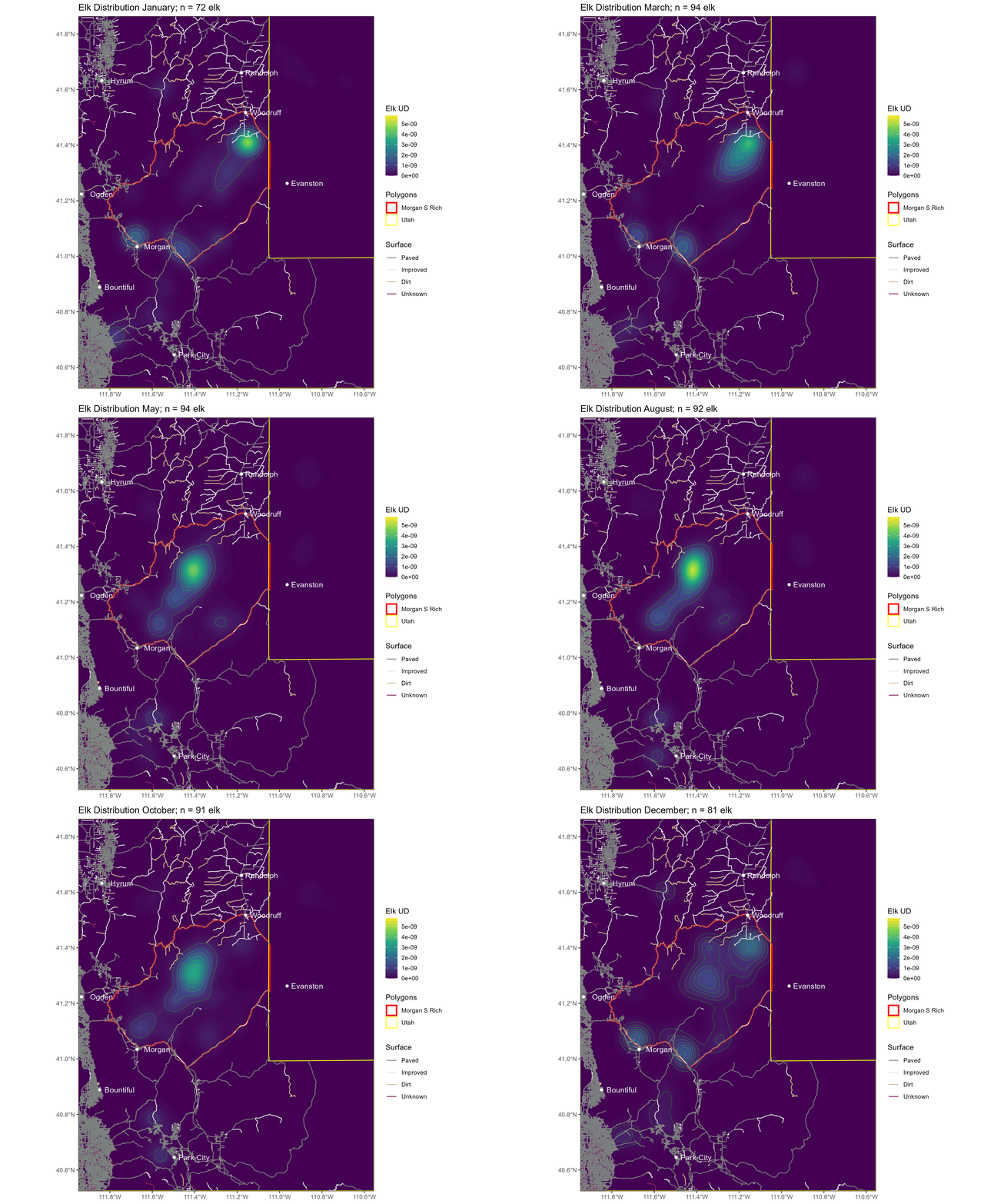
  • gganimate provides a ton of flexibility.
  • But sometimes I envision a very specific animation and can’t figure out how to implement it using gganimate.
  • My solution?
    • Write my own frames and then animate them with ImageMagick.

Custom Animations

Custom animation of my own work

Custom animation of my own work

Custom Animations with ImageMagick

  • I will show you the details in the R code.
  • Basic idea:
    • Save frames in order, numbers for file names.
      • Use leading 0s to make sure alphabetical order matches numerical order.
    • Use simple terminal command to combine frames using ImageMagick.

Custom Animations with ImageMagick

File names with leading 0s

Base R

formatC(1:10, width = 2, format = "d", flag = "0")
 [1] "01" "02" "03" "04" "05" "06" "07" "08" "09" "10"


Tidyverse

stringr::str_pad(1:10, width = 2, side = "left", pad = "0")
 [1] "01" "02" "03" "04" "05" "06" "07" "08" "09" "10"

Custom Animations with ImageMagick

Terminal command for ImageMagick

magick -delay 20 folder/*.png anim_file.gif
  • magick calls the program.
  • -delay 20 means display each frame for 20 milliseconds.
    • (Bigger numbers for slower animations)
  • folder/*.png returns the filenames of all PNG files inside of folder/ (relative to the current path in your terminal).
  • anim_file.gif is the output file.

Questions?


BCB5200 Home

Render time

Render took: 25.5 minutes.